As an Amazon Associate we earn from qualifying purchases.
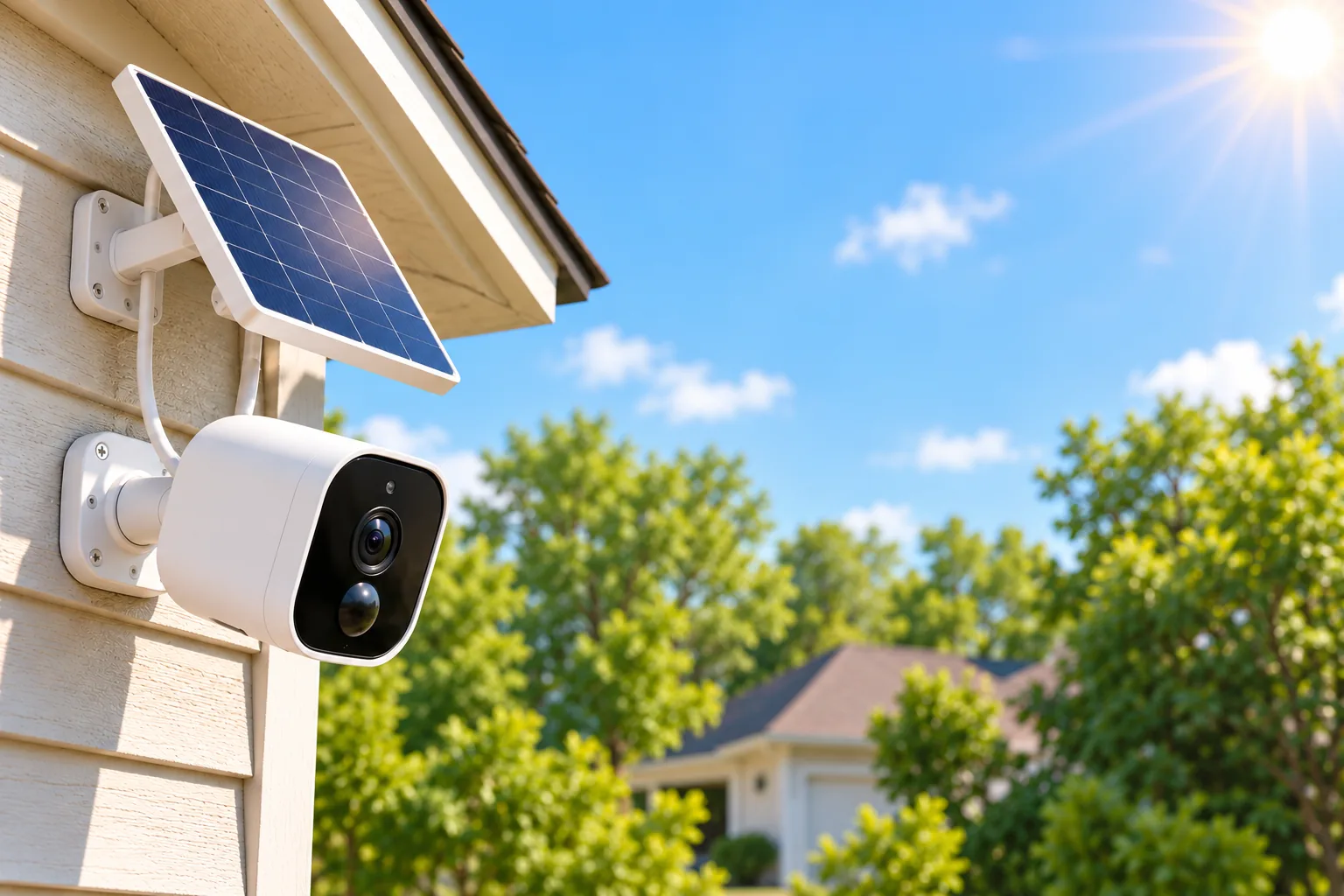
Solar powered wireless security cameras suit homeowners who want outdoor event footage without running power to each camera—provided the panel gets useful sun and the battery can support the chosen recording mode. Choose the footage you need first, then check sunlight, charging temperature, network access and storage at each mounting location. Solar charging alone does not establish continuous recording capability.
As an Amazon Associate I earn from qualifying purchases. We may earn a commission when you buy through links on this page.
Quick decision: Consider Tapo C425 KIT for motion clips with a separately positioned panel, eufy SoloCam S340 for event recording with built-in local storage, or Reolink Altas PT Ultra when pre-event context or scheduled continuous recording matters. Each has conditions explained below. This guide compares manufacturer specifications and support guidance checked October 18, 2026; it contains no hands-on battery or solar-output testing.
Choose the recording timeline before the panel
A solar panel replenishes a battery. The camera's recording modes determine what footage is saved. Event recording saves clips around detected activity; pre-recording adds footage from before a trigger; continuous recording saves a timeline during its enabled schedule. These are different buying requirements.
| Your priority | Useful starting point | Boundary to accept |
|---|---|---|
| Clips of visitors or driveway activity | C425 KIT or SoloCam S340 | Neither provides a complete continuous timeline |
| Context before a motion alert | Altas PT Ultra with pre-recording enabled | Pre-recording saves relevant event footage and can turn off at low battery |
| Video between events during selected hours | Altas PT Ultra with a continuous schedule | Smart Battery Mode can reduce frame rate or revert to events |
| Every moment at full frame rate, regardless of weather | Investigate a permanently powered design | None of these solar arrangements establishes that guarantee |
The first two model boundaries come from the Tapo C425 KIT recording note and eufy's S340 FAQ. Reolink documents its separate pre-recording behavior and Smart Battery Mode.
If occasional charging is acceptable, the broader battery-powered security camera guide helps frame that ownership choice. Start with the recording requirement you cannot compromise, rather than the smallest advertised number of sunlight minutes.
Check the camera view and panel sunlight separately
The camera needs a useful view; the panel needs unobstructed sunlight. Those positions may differ. A sheltered camera beneath an eave can make sense only if its compatible panel can reach a sunnier position along an approved cable route.
TP-Link recommends choosing the sunniest location throughout the year, facing the panel south in the Northern Hemisphere and using a 35–45-degree tilt from horizontal. It also calls for removing dust and debris. Its C425 KIT page describes separate placement using a 4-meter cable. Treat that cable description as belonging to the documented kit, and check the contents of the exact hardware version being sold. TP-Link placement and connector instructions, C425 KIT details.
For S340, eufy's installation advice likewise recommends south-facing placement in the US and separating an obstructed camera from its panel with the supplied USB-C extension cable. S340 installation advice.
Before drilling, inspect the proposed panel position at different times of day. Record when the panel itself receives direct sun, check nearby branches and roof shadows, and consider whether winter placement could be worse. This is a site-assessment method, not a formula for predicting charging yield. Follow the exact mounting instructions, check for hidden utilities before drilling, and choose a location you can safely reach for cleaning and charging service.
Temperature adds another constraint. TP-Link distinguishes its panel's approximate operating range of −20–45°C from the battery charging range of about 0–45°C, or 32–113°F. A device's ability to operate in cold weather therefore does not establish that its battery can charge below freezing. Those are TP-Link's figures; verify the charging limits for any other model separately. Tapo charging troubleshooting.
Three solar camera options and their ownership tradeoffs
The following distinctions are based on the linked official pages, rather than a performance ranking.
Tapo C425 KIT: event clips with flexible panel placement
C425 KIT fits a homeowner who wants motion clips and a camera position that differs from the best panel position. The documented US page lists Wi-Fi connection without a required hub, separately purchased microSD storage up to 512 GB, and optional paid Tapo Care cloud storage. It also lists an optional, separately sold H200 hub storage arrangement. Confirm that arrangement for the exact camera revision and firmware before building a purchase around an existing hub. C425 KIT specifications and storage.
Its recording limitation is decisive: the page explicitly describes motion clips and says the battery camera is not designed for continuous recording. Adding storage or a solar panel does not change that stated mode. Choose it when clips answer your question; rule it out when you need to inspect the quiet minutes between them.
Hardware identification matters when buying a panel or replacement cable. TP-Link identifies C425/TC85 V1.0/V1.2 as Micro USB; using A201 with those versions requires a Type-C-to-Micro-USB adapter and waterproof gasket. C425 V2 uses Type-C and cannot use A200. Follow the correct gasket instructions and seat the connector snugly. A matching-looking plug is insufficient evidence of a compatible outdoor connection. TP-Link revision-specific connection table.
Search Amazon for Tapo C425 solar camera kits, then verify the hardware version and panel bundle against that table.
eufy SoloCam S340: built-in storage for an event-focused setup
S340 is worth considering when you want event recording with storage already inside the camera. Its US specifications list built-in 8 GB EMMC storage, 2.4 GHz Wi-Fi only, an adjustable removable 2.2 W solar panel and a built-in, non-removable rechargeable battery. Local storage has no mandatory monthly fee; optional paid membership offers on the page are separate. SoloCam S340 specifications.
HomeBase is an expansion decision rather than a prerequisite for that onboard storage. The product page lists HomeBase S380 compatibility with firmware V3.3.2.6 and above, and says connecting it enables HomeBase storage and BionicMind features. Its FAQ also says S340 does not support 24/7 recording, including with HomeBase 3. Buying the hub does not remove that limitation. S340 compatibility and recording FAQ.
Choose S340 if those local-storage and network boundaries suit your installation. Reconsider it if continuous recording is essential or your planned connection depends on 5 GHz. The non-removable battery also makes safe access to the camera a useful part of your backup-charging plan.
Search Amazon for eufy SoloCam S340, checking whether the result is a standalone camera or a larger bundle.
Reolink Altas PT Ultra: more recording choices, with a power budget to manage
Altas PT Ultra is the option here to investigate when ordinary motion clips omit context you need. Its official specifications list a 20,000 mAh battery at 3.6 V, equivalent to the listed 72 Wh capacity, Reolink Solar Panel 2 at 6 W, dual-band 2.4/5 GHz Wi-Fi 6 and microSD support up to 512 GB. These specifications describe hardware capability, not a measured runtime at your property. Altas PT Ultra specifications.
Its additional modes require deliberate setup. Reolink's pre-recording guidance describes saving relevant event footage with preceding context. The default pre-recording frame rate is 3 fps—frames per second—and selecting 5 fps increases power consumption. Below an adjustable battery threshold, defaulting to 20%, pre-recording stops and the camera switches to PIR-triggered recording without it. PIR means passive infrared, the motion-triggering sensor involved in this mode. Reolink pre-recording guide.
Continuous recording is a separate schedule. Smart Battery Mode is optional and off by default. Reolink describes two battery thresholds: above the upper threshold the camera records at full frame rate; between thresholds it uses lower frame rates except during detected activity; below the lower threshold it stops continuous recording and saves PIR events only. The documented default lower-frame-rate range is 20–80%, with Altas settings of 1, 3 or 5 fps. Check the actual app and firmware on your unit. Smart Battery Mode setup and thresholds.
Choose this model if those transitions are acceptable and you will monitor them. If smooth video throughout every recording interval is essential, reduced-frame-rate footage can be a meaningful compromise even before continuous recording stops.
Search Amazon for Reolink Altas PT Ultra solar kits, verifying the included panel rather than assuming every listing bundles one.
Read sunlight and battery claims with their assumptions
Sunlight minutes and reserve days cannot be compared fairly without the workload behind them.
| Model | Manufacturer claim | Conditions or conflict that affect planning |
|---|---|---|
| C425 KIT | 45 minutes of daily direct sun; up to 300 days per charge | Solar claim assumes 1,000 W/m², 25°C, AM1.5 and up to 100 daily triggers; 300 days assumes 230 seconds of daily use |
| SoloCam S340 | Two hours of daily direct sun; three-month battery life | Installation support instead advises at least 3–4 hours; battery claim assumes 300 seconds of recording daily |
| Altas PT Ultra | Ten minutes of daily charging; up to 500 days in PIR mode | Solar claim is based on 300 seconds in PIR trigger mode; reserve claim also assumes 300 seconds of daily recording |
These figures come from Tapo's footnotes, eufy's product page and installation guidance, and Reolink's product page. They are conditional manufacturer figures. Tapo also gives 180 days at 360 seconds of daily use, illustrating how a changed workload changes the advertised reserve.
Do not use Reolink's ten-minute PIR claim to budget all-day continuous recording. For S340, the two official sunlight figures differ; using the longer installation recommendation for an initial placement assessment is a conservative planning choice, not a guarantee of energy balance.
For a hypothetical busy driveway, assume 60 saved clips of 20 seconds each: that is 1,200 seconds, or 20 minutes, of recorded footage daily. That is four times S340's stated 300-second battery-test workload. This arithmetic identifies a mismatch with the claim's assumptions; it cannot calculate your runtime or prove that runtime falls by exactly four times.
Use a separate worksheet for every camera
Solar charging, network access and storage must each fit the location. S340's 2.4 GHz requirement and Altas PT Ultra's dual-band support are concrete differences, but neither establishes a usable distance through your walls or across your yard. Verify connection and playback at the intended mount before committing to holes. For a location beyond a workable home network, explore cellular security cameras as a separate connectivity decision.
Copy this worksheet once for each proposed location:
| Record | Your answer |
|---|---|
| Footage required | Event clips, pre-event context or scheduled timeline? |
| Sun and access | Direct-sun periods, obstructions, winter concern, safe cleaning access? |
| Hardware | Exact camera revision, approved panel, gasket, cable route and included accessories? |
| Recording settings | Clip duration, detection zones, schedule, frame rate and low-battery behavior? |
| Network and storage | Verified connection, camera/card/hub storage location and optional paid service? |
| Recovery plan | Who can recharge it, and what battery trend will trigger action? |
For example, assume a two-camera property has a sunny garage and a shaded side passage. Assess the garage camera on its own merits. The passage needs a reachable sunny panel position or an acceptable manual-charging plan; success at the garage does not qualify it. Our security camera solar panel guide covers the accessory decision in more detail.
After installation, walk the routes you need recorded and play back the saved clips. Check whether the beginning of the approach is present and whether the timestamps and recording schedule match your expectations. Aim coverage at your own property and minimize recording of neighboring private spaces.
As a practical commissioning routine, log battery percentage at the same time daily for an initial week alongside weather and recording settings, then check again after cloudy spells and seasonal changes. This proposed routine is a diagnostic, not a validated endurance test. A persistent decline calls for investigation before you depend on the setup; one sunny afternoon at a high percentage is weak evidence of year-round balance.
Diagnose charging problems before replacing hardware
First separate a battery that never charges from one that charges intermittently. TP-Link's troubleshooting recommends checking whether the original adapter charges the camera, inspecting the panel for damage and dirt, confirming tight cable connections, and checking unobstructed sunlight. For intermittent issues it also recommends current firmware, suitable temperature and improved placement. Tapo charging fault guide.
That guide says charge protection can delay recharging until the battery falls to around 90%. Lack of a charging indication near full capacity therefore need not mean failure. Use the battery history and conditions to judge the problem, following the manufacturer's instructions for reconnecting or charging equipment.
Before upgrading a panel, verify model compatibility. Reolink recommends Solar Panel 2 at 6 W for Altas PT Ultra, and explicitly excludes its PoE and DC-powered cameras from compatibility with these solar panels. Higher output on a supported panel may help charging, but it is not an uptime guarantee or permission to improvise a power system. Reolink panel compatibility.
Frequently asked questions
Will solar cameras work through cloudy days and nights?
They can run from stored battery energy while solar charging is unavailable, but the duration depends on workload and conditions. The reserve figures above use limited daily activity. Keep a backup-charging plan and monitor battery trend rather than treating a maximum advertised reserve as your expected runtime.
Can a hub turn an event camera into a continuous camera?
Do not assume it can. eufy's S340 FAQ specifically says it cannot record 24/7 even with HomeBase 3. A hub may change where footage is stored or add supported features; the camera's documented recording mode remains a separate requirement. S340 FAQ.
Is a subscription necessary?
The documented local options include C425 KIT microSD storage, S340's built-in 8 GB storage and Altas PT Ultra microSD storage. Cards, optional hubs and optional cloud services have separate ownership requirements. Check the exact bundle and regional service terms; no monthly storage subscription does not mean every accessory is included. Tapo, eufy, Reolink.
Make the purchase conditional on the location
Choose C425 KIT or S340 when event footage satisfies your needs and their storage and hardware arrangements fit. Investigate Altas PT Ultra when additional context or a scheduled timeline justifies managing its recording modes and battery thresholds. Before ordering, complete the worksheet for the least sunny camera location: unresolved sunlight, connectivity or recording requirements are reasons to revise that installation plan.