As an Amazon Associate we earn from qualifying purchases.
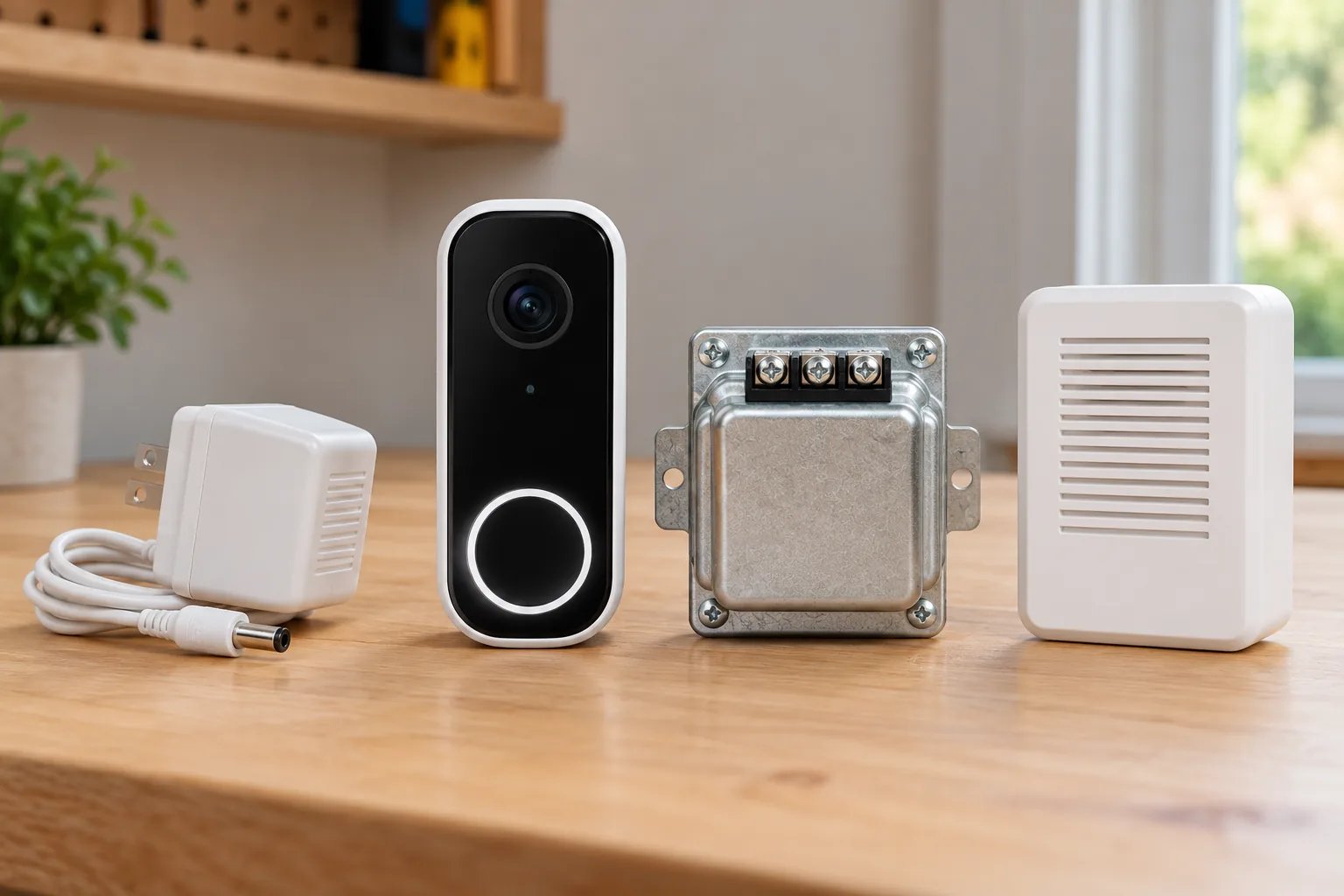
For Nest doorbell transformers, match the exact US doorbell model, AC voltage, VA rating, and installation arrangement before choosing a replacement. North American wired Nest generations require 16–24 V AC and 10–40 VA; the battery model accepts 8–24 V AC and 10–40 VA for wired charging. Ring requirements vary by model. A transformer with the right numbers also does not automatically make the existing indoor chime compatible. Google’s compatibility table and Ring’s hardwiring guide are the starting points.
Choose in this order: identify the doorbell, identify the intended power source, check the existing chime and required connector, then select a transformer or manufacturer-approved adapter. Have a licensed electrician evaluate an unknown or unsuitable transformer rather than opening mains connections yourself.
This guide is for US homeowners planning a Nest or Ring installation or diagnosing an apparent power problem. It compares documented manufacturer requirements, without electrical testing, aftermarket safety guarantees, or instructions for mains rewiring.
In this guide
- Compare US Nest and Ring power requirements
- Read voltage, VA and AC together
- Check the chime before replacing power equipment
- Hardwired transformer or indoor adapter?
- Diagnose the symptom before buying a transformer
- Give the electrician a complete handoff
- Common transformer questions
Identify the doorbell before reading the transformer label
Write down the complete model name and generation from the device or its app information. “Nest wired” and “Ring Pro” are too broad when a listing uses older names or omits a generation. Keep the country-specific requirements attached to that model. Google’s first-generation Nest row, for example, has different North American and global ranges; the global row should not be substituted for a US installation. Source: Google Nest compatibility.
Also establish whether wires provide operating power or charge a battery. Google describes Nest Doorbell (battery) as able to operate on its battery alone, with doorbell wiring providing charging. The wired models require a wired power arrangement. You do not necessarily need a transformer upgrade merely to use the battery model without wiring.
Wired video doorbells should be chosen with their power and indoor alert arrangements in mind before installation. If retaining your current chime is essential, treat that as a requirement at the model-selection stage. It can change which doorbell or installation route is suitable even when your transformer’s electrical rating appears acceptable.
Compare US Nest and Ring power requirements
The table below describes connection to an existing AC doorbell system. It does not describe every compatible branded adapter or PoE arrangement.
| Doorbell model or group | AC voltage | Transformer rating | Frequency |
|---|---|---|---|
| Nest Doorbell (battery), wired charging | 8–24 V AC | 10–40 VA | 50–60 Hz |
| Nest Doorbell (wired, 1st gen), North America | 16–24 V AC | 10–40 VA | 50–60 Hz |
| Nest Doorbell (wired, 2nd gen), North America | 16–24 V AC | 10–40 VA | 50–60 Hz |
| Nest Doorbell (wired, 3rd gen), North America | 16–24 V AC | 10–40 VA | 50–60 Hz |
| Ring battery doorbells | 8–24 V AC | 5–40 VA | 50/60 Hz |
| Ring Video Doorbell Wired | 10–24 V AC | 8–40 VA | 50/60 Hz |
| Ring Video Doorbell Pro | 16–24 V AC | 10–40 VA | 50/60 Hz |
| Ring Wired Video Doorbell Pro, formerly Video Doorbell Pro 2 | 16–24 V AC | 10–40 VA | 50/60 Hz |
| Ring Wired Doorbell 2K Plus | 16–24 V AC | 10–40 VA | 50/60 Hz |
| Ring Wired Doorbell 4K Pro, AC arrangement | 16–24 V AC | 10–40 VA | 50/60 Hz |
Sources: Google Nest voltage and power table, Ring US hardwiring requirements.
These are manufacturer ranges, not a universal recommendation to install the highest voltage or VA figure. The selected transformer must suit the complete circuit, including the chime and installation configuration. Multiple buttons, doorbells, or interconnected equipment require checking the manufacturer’s configuration instructions rather than adding devices to a single-device assumption.
Read voltage, VA and AC together
V AC is the transformer’s alternating-current output voltage. VA, or volt-amperes, is its apparent-power rating. Hz describes frequency. These labels describe different properties, so a voltage match alone is incomplete. Check all the requirements in your exact model’s row and preserve the AC designation.
For a hypothetical Nest Doorbell (wired, 2nd gen) installation, a transformer labeled 16 V AC and 10 VA falls within Google’s published range. That makes it a candidate for further circuit checks; it does not prove the chime works or that the voltage reaching the doorbell is adequate. A transformer labeled 12 V AC falls outside that model’s North American range. A 24 V DC adapter is not an AC transformer just because the number 24 appears on its label. Source: Google compatibility guidance.
Ring separately lists compatible branded DC accessories and explains that its DC supplies have model-specific design and additional safety features. This is not permission to connect any DC adapter with a similar voltage. Use the accessory compatibility specified for the particular doorbell. Source: Ring DC power guidance.
If the label is missing, illegible, or inaccessible, record that uncertainty for an electrician. Do not guess from the transformer’s age, size, or appearance. Google identifies an unlabeled transformer as an incompatible condition in its compatibility check and recommends professional help for locating or upgrading the system. Source: Nest compatibility checks.
Check the chime before replacing power equipment
Video doorbell chime compatibility is a separate decision from supplying the camera with power. A functioning video feed does not prove the indoor chime will ring, and a silent chime does not prove the transformer is defective. Determine whether the chime is mechanical, electronic, battery-only, or part of an integrated system before deciding what to buy.
For an existing wired doorbell/chime circuit, Google says wired Nest generations require the included chime connector; Nest Doorbell (battery) does not. The requirement belongs to that circuit arrangement. Google’s separately documented indoor-adapter route explicitly skips the chime connector and turns the indoor-chime option off before testing. Follow the instructions for the route you are actually using. Nest compatibility guide, indoor-adapter installation.
Google also says a chime powered only by batteries, without wiring, does not work as the existing wired Nest chime. Intercom and gate-control systems typically do not work with Nest. If your entry system is integrated or its wire labels are unfamiliar, ask a professional to assess it rather than treating it as a standard two-wire replacement. Source: Nest system compatibility.
Ring has important current-versus-legacy distinctions. Its hardwiring guide says Wired Doorbell 2K Plus and Wired Doorbell 4K Pro do not operate existing chimes, with an exception for the latter when PoE powered; it directs users to Chime Kit Mini for an indoor sound. The same page separates legacy Wired Doorbell Plus/Pro rows requiring a Pro Power Kit from current 2K Plus/4K Pro rows that do not require it for direct AC-transformer connections. Keep the full model and connection method with each instruction. Source: Ring connection and chime tables.
The practical consequence is straightforward: buying a larger transformer cannot change a model’s documented chime compatibility. Settle the chime plan before paying for an electrical upgrade intended to solve the wrong problem.
Hardwired transformer or indoor adapter?
A correctly specified hardwired transformer is the route to assess when you want to use an existing compatible doorbell circuit. Google recommends a licensed electrician to locate and replace an unsuitable transformer, including installations where no transformer is present. Treat this as electrical installation work, with the equipment and professional requirements appropriate to your home. Source: Google transformer-upgrade guidance.
An indoor power adapter may offer another route for an absent or incompatible Nest system. Google says the adapter is sold separately and is not weatherproof; it must not be plugged into an outdoor outlet. Its instructions route the cable through the exterior wall to an indoor receptacle, so plug-in power is not automatically a no-drill installation. Know the location of wiring and plumbing before drilling, and use professional help when you cannot establish a suitable route. Source: Nest indoor-adapter instructions.
| Your situation | Route to investigate | Detail that can decide the purchase |
|---|---|---|
| Existing standard chime and known transformer | Check the exact model and complete circuit | Voltage, VA, connector and chime fit must all be appropriate |
| Existing transformer below the required range | Professional evaluation and replacement | Include chime and wiring condition in the diagnosis |
| No doorbell wiring | Supported indoor adapter or battery installation | Check cable route, indoor outlet, permissions and desired indoor alert |
| Intercom, gate control or complex circuit | Professional assessment | Do not assume ordinary doorbell compatibility |
| Rental where drilling is restricted | Assess a battery installation and permission requirements | An indoor adapter may still require a wall passage |
These are selection paths, not product endorsements. No aftermarket transformer or adapter is recommended solely because a marketplace title lists both Ring and Nest. Obtain the exact output rating, model-specific approval where applicable, and installation requirements before ordering.
Diagnose the symptom before buying a transformer
Google’s upgrade guide says a blinking yellow light on wired second- or third-generation Nest doorbells indicates insufficient power. That justifies checking the power arrangement, but another symptom may need a different investigation. A chime can be underpowered even with a correctly rated transformer, so the label and the circuit’s actual behavior are separate checks. Transformer guide, chime troubleshooting.
For a weak or muffled chime, Google’s troubleshooting includes checking whether wires or the connector interfere with moving parts. For constant ringing, it notes miswiring is a common cause, particularly in complex chimes with three or more wires, and recommends professional help. Do not treat every buzz, unexpected ring, or silent chime as evidence that a higher-VA transformer is the solution. Source: Nest chime diagnosis.
Begin with observations you can report without dismantling electrical equipment: exact device model, app status, indicator behavior, whether live video works, when the chime misbehaves, and what changed during installation. Check whether the indoor chime is intended to be active for that installation route. If further testing involves exposed electrical connections or you are unsure how to isolate the circuit, leave it to the electrician.
Google Nest video doorbells need generation-specific instructions when a power or chime issue follows a replacement. Tell the installer both the old model and the new one. That avoids carrying an older connector or wiring assumption into a different generation’s installation.
Give the electrician a complete handoff
Copy this worksheet into your installation notes. It helps turn a vague “needs a stronger transformer” request into a defined compatibility job.
| Record | Your installation notes |
|---|---|
| Doorbell | Full brand, model and generation |
| Market | US/North American requirements used |
| Transformer label | Exact V AC, VA and frequency, or “unknown” |
| Power route | Existing chime circuit, approved adapter, battery, or other supported arrangement |
| Chime | Manufacturer/model if known; mechanical, electronic, or integrated |
| Circuit complexity | Front/rear buttons, multiple doorbells, gate or intercom connections |
| Required accessory | Exact connector or power-kit instructions for the selected model |
| Symptom | Light behavior, app state, ringing behavior and when it happens |
| Recent changes | Doorbell replacement, connector changes or other installation work |
| Desired result | Stable camera operation and the specific indoor alert you expect |
Ask the installer to verify the circuit and the power delivered to the doorbell, not simply replace the transformer based on a shopping recommendation. After installation, check that the doorbell stays online, opens live video, and produces the intended indoor notification when pressed. Preserve the model and equipment information for future replacement decisions.
Common transformer questions
Is one transformer suitable for every Nest doorbell?
No universal choice follows from the published ranges. Wired Nest models use the North American 16–24 V AC, 10–40 VA requirement, while battery-model wired charging accepts 8–24 V AC, 10–40 VA. The circuit and chime still need evaluation. Source: Google requirements.
Is a higher VA rating always better?
Use the manufacturer’s specified range and the complete installation requirements. VA and voltage are different checks, and a higher number cannot resolve incompatible chimes or miswiring. Have a professional determine the suitable equipment for a complex or uncertain circuit rather than exceeding the published range.
Can a plug-in adapter use an outdoor outlet?
Not the indoor Nest adapter described by Google. It is not weatherproof, and Google explicitly excludes outdoor outlets. Its documented installation uses an indoor outlet and a routed cable through the exterior wall. Check the route before treating the adapter as an easier installation. Source: adapter instructions.
Choose the complete power arrangement
The right Nest doorbell transformer or Ring power accessory is the one that matches the exact model, US electrical requirements, circuit, and chime plan. Start with the device identity and manufacturer table, then bring unknown labels, complex wiring, or persistent symptoms to a licensed electrician. Order only after the power source and indoor alert arrangement are both clear.