As an Amazon Associate we earn from qualifying purchases.
The useful Ring video doorbells comparison starts with power and maintenance. Choose a battery model when suitable doorbell wiring is absent, a continuously wired model when you want to avoid routine battery charging, and the native-PoE model only when an Ethernet installation is appropriate. Within the battery range, the built-in versus removable battery is often a more practical difference than 2K versus 4K. Saved video and some advanced features require a compatible subscription. Ring's US doorbell range
As an Amazon Associate I earn from qualifying purchases. We may earn a commission when you buy through links on this page.
Quick verdict: Battery Doorbell 2K suits a straightforward battery installation if removing the whole doorbell to charge is acceptable. Battery Doorbell 2K Plus is worth comparing for a removable pack and dual-band Wi-Fi. Battery Doorbell 4K Pro adds documented 4K capability and radar-based motion features, with bandwidth and plan qualifications. Confirm indoor ringing separately for current wired models.
This guide compares official US model documentation checked October 18, 2026. It is not a hands-on performance ranking. Detailed transformer shopping and gate-control installation are outside its scope.
In this guide
- Start with the current model name
- Compare the charging routine you will actually use
- Choose image features with network capacity in mind
- A wired camera may not ring your existing chime
- Free live checking versus saved recordings
- Which model type fits your entrance?
Start with the current model name
Ring's range includes similarly named devices from different generations. An older “Wired Doorbell Pro” listing and a current “Wired Doorbell 4K Pro” description should not be treated as interchangeable installation instructions. Read the complete product name and generation on the actual offer before comparing specifications or accessories.
| Current US model | Power and maintenance distinction | Main selection question |
|---|---|---|
| Battery Doorbell 2K | Built-in rechargeable battery; detach doorbell to charge | Is whole-device removal acceptable? |
| Battery Doorbell 2K Plus | Removable Quick Release Battery Pack; Micro-USB charging | Do you prefer removing a pack rather than the doorbell? |
| Battery Doorbell 4K Pro | Removable Quick Release Ultra Battery Pack; USB-C charging | Do you need its higher-resolution capability and motion features? |
| Wired Doorbell 2K | Continuous wired power | Is the exact power supply suitable, and how will it ring indoors? |
| Wired Doorbell 2K Plus | Continuous wired power; additional imaging features | Do its documented features justify the particular offer? |
| Wired Doorbell 4K Pro | Wired power; 4K capability and 3D Motion Detection | Can the installation and recording arrangement support the intended use? |
| Wired Doorbell 4K Elite | Native Power over Ethernet | Is a dedicated Ethernet installation appropriate? |
The model range comes from Ring's comparison; charging details come from the exact Battery 2K, Battery 2K Plus, and Battery 4K Pro product pages.
For a documented removable-battery option, you can search Amazon for Ring Battery Doorbell 2K Plus. Check the complete model name and included battery on the actual result. This search is not a verified offer, stock check, or promise of a particular price.
Compare the charging routine you will actually use
Battery Doorbell 2K requires detaching the doorbell from its wall mount to recharge its built-in battery. The 2K Plus lets you remove its Quick Release Battery Pack and charge that pack through Micro-USB. The 4K Pro uses a removable Ultra pack with USB-C charging. Battery 2K recharge instructions, 2K Plus recharge instructions, 4K Pro recharge instructions
The difference is the task you perform when charging becomes necessary. If you prefer to leave the camera body mounted, a removable pack is the relevant design choice. If a compatible charged replacement pack is part of your plan, verify that exact pack and its inclusion separately; do not assume every battery or older charging accessory fits the new model.
Consider a hypothetical entrance where removing the whole unit is inconvenient but reaching the battery compartment is manageable. A removable-pack model addresses that maintenance preference even if the household has no need for 4K. Conversely, if there is no easy charging access at all, continuous wired power may solve the more important problem.
Ring says actual battery life depends on settings, use, and environment. This guide therefore does not assign a universal recharge interval or forecast how long one charge will last at your entrance. Compare the documented charging workflow first, then monitor your own installation's battery needs. Ring's battery guidance
Optional hardwiring is also different from choosing a continuously wired model. Battery 2K Plus supports existing 8–24 V AC wiring for trickle charging and mechanical chime functionality. Battery 4K Pro lists optional 8–24 V AC wiring, a 40 VA maximum, and 50/60 Hz, with mechanical-chime support when hardwired. Keep those details attached to their exact products. 2K Plus power guidance, 4K Pro power guidance
Choose image features with network capacity in mind
Battery Doorbell 2K and 2K Plus provide documented 2K head-to-toe video. Battery Doorbell 4K Pro is 4K-capable, with up to 10x Enhanced Zoom and radar-based 3D Motion Detection. These are feature specifications, not evidence that every face, label, or package will be identifiable at a particular distance. Ring's family comparison, Battery 4K Pro details
The battery models also differ in Wi-Fi options. Battery 2K is 2.4 GHz only; the 2K Plus and 4K Pro list dual-band 2.4/5 GHz connectivity. The 4K Pro's technical specification identifies Wi-Fi 6. A newer radio label should not substitute for checking that the actual mounting position has a useful connection. Battery 2K specifications, 2K Plus specifications, 4K Pro specifications
For Battery 4K Pro, Ring recommends at least 15 Mbps upload and says video resolution can vary with internet bandwidth. Its buyer guide also attaches a compatible-subscription qualification to Retinal 4K. Do not infer unrestricted free full-resolution streaming or recording from the separate statement that Live View works without a subscription. 4K Pro internet requirements, Ring's resolution footnotes
For a household choosing 4K, the pre-purchase questions are consequently specific: can the entrance maintain a suitable connection, does the home's upload capacity cover the intended use, and does the chosen plan provide the resolution and features expected? A hardware upgrade is less useful if those supporting conditions are absent.
Within the wired range, Ring's comparison distinguishes the standard motion features of Wired Doorbell 2K, added HDR and low-light features on 2K Plus, and 4K capability with 3D Motion Detection on 4K Pro. Choose by a feature you will use, rather than assuming “Pro” alone establishes better results for your porch. Official wired comparison
A wired camera may not ring your existing chime
Wired Doorbell 2K does not support an existing mechanical chime, according to its exact product FAQ. Ring's hardwiring guidance also says the current Wired Doorbell 2K Plus and the non-PoE Wired Doorbell 4K Pro are not compatible with existing chimes; it names Chime Kit Mini for indoor ringing on those models. Wired 2K FAQ, Ring hardwiring guidance
Video doorbell chime compatibility should be checked independently from the camera's power source. It is possible for the power arrangement to be suitable while the expected indoor bell does not work. If someone in the household relies on hearing the bell without a phone, resolve that requirement before ordering.
There is a documented voltage discrepancy for current Wired Doorbell 2K: its exact product FAQ specifies 12–24 V AC, while the general hardwiring table lists a 10–24 V AC row. Use the narrower model-specific 12–24 V AC requirement for planning and confirm current instructions with Ring before installation. Do not operate below that model-specific minimum based on a generic table or an older model name. Product power FAQ, general table
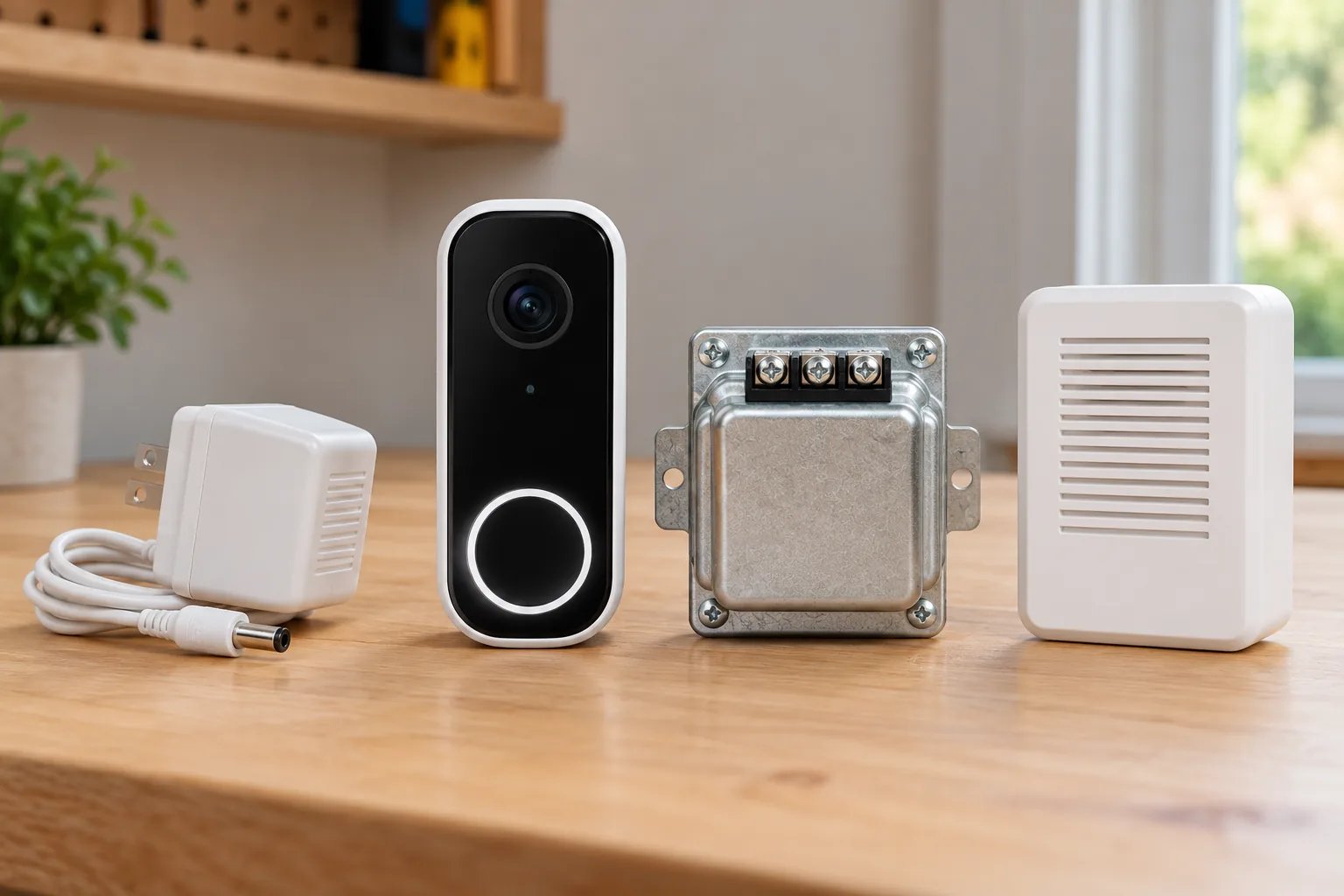
Doorbell transformers must match the exact model and installation path. Turn off power before wiring work, follow that device's current instructions, and use qualified help if ratings or wiring are unclear. Older Plus and Pro models have different power-kit rows from the current 2K Plus and 4K Pro; a familiar product suffix is not an accessory compatibility rule.
Wired Doorbell 4K Elite is a native-PoE option. Power over Ethernet carries power and data through Ethernet, making it a different installation decision from replacing a two-wire doorbell. Wired video doorbells should therefore be compared by their complete power and network path, including whether Ethernet work is feasible. Ring's PoE model description
Free live checking versus saved recordings
Without a Ring subscription, the documented basic use includes real-time video and notifications, but videos and photos are not saved. A compatible plan provides saved event history for up to 180 days; package alerts, Doorbell Calls, and other advanced functions have paid-feature requirements. Ring's subscription FAQ
This distinction matters even if you rarely answer the door from your phone. Assume, for example, that a delivery happens while you are driving and you first open the app later. A live view shows the scene at that later moment. It does not recreate an earlier unsaved delivery. If later review is the primary reason for buying, include a suitable saved-video plan in the purchase decision.
Video doorbells without a subscription should be compared on what they save and let you retrieve, not simply on whether they send a notification. For Ring, the free-versus-paid difference is a central ownership consideration rather than an optional detail buried after hardware selection.
“Up to 180 days” is a maximum supported history arrangement, not a promise that every account retains all footage for that period automatically. Ring says changing video-storage duration affects recordings created after the change. Choose the setting you need during setup rather than expecting it to recover older footage retroactively. Ring's retention footnotes
Some newer functions also have device, region, or language restrictions, including features such as Familiar Faces and Video Descriptions. Confirm the precise feature for your location and device in the current terms. A general list of premium functions does not establish that every US household gets the same experience. Ring's feature qualifications
Which model type fits your entrance?
| Your priority | Starting point | Verify before buying |
|---|---|---|
| Battery installation with a simple feature set | Battery Doorbell 2K | Whole-device charging access and 2.4 GHz connection |
| Removable battery without choosing 4K | Battery Doorbell 2K Plus | Correct Quick Release pack, charging cable, and intended Wi-Fi band |
| 4K capability and radar-based motion functions | Battery Doorbell 4K Pro | Upload capacity, subscription entitlement, and actual installation connection |
| Avoid routine battery charging | Current wired range | Exact power requirements and separate indoor ring arrangement |
| An installation designed around Ethernet | Wired Doorbell 4K Elite | A suitable PoE route and exact installation requirements |
| Existing peephole with a permitted replacement | Peephole Cam 2K | Door/peephole fit and acceptance of app-based viewing |
Peephole Cam 2K is a separate option with a removable battery and a no-drill installation for a suitable existing peephole. Ring explicitly says physical optical peephole viewing is no longer available after installation. Obtain permission and check fit before assuming it suits an apartment door. Video doorbells for apartments involve mounting and shared-space constraints as well as camera specifications. Ring's Peephole Cam 2K description
Before purchase, record the complete model name, power source, charging method, intended Wi-Fi or Ethernet connection, indoor sound method, and recording plan. After installation, check the actual visitor and package view, a doorbell press, notifications, and a saved event if subscribed. Keep the model details for later accessory purchases and support.
The right Ring choice is the one whose maintenance, installation, and video access fit your household. Start with power, then narrow by battery design, image features, indoor ringing, and paid recording. That produces a more useful decision than choosing the highest resolution or most familiar product name alone.