As an Amazon Associate we earn from qualifying purchases.
For renters, the right video doorbell starts with permission and a workable mounting location. Choose a peephole replacement only if the exact model fits your door and you accept its viewing tradeoffs. Choose an adhesive-mounted battery doorbell only if the building permits it and the accessory instructions approve your surface. Then check charging access, Wi-Fi, indoor alerts, and saved video separately.
As an Amazon Associate, we earn from qualifying purchases. We may earn a commission when you buy through links on this page.
Quick choice: Ring Peephole Cam 2K suits an approved existing-peephole installation, but removes the optical view through the door. Tapo D225 is worth considering when an approved smooth surface, battery operation, and local recording matter. Neither choice settles permission to film a shared hallway.
This guide compares documented installation and support guidance for US apartment residents. It does not claim hands-on corridor testing or provide a universal interpretation of leases.
On this page
- Permission and location
- Installation routes
- Charging and Wi-Fi
- Alerts and recordings
- Hallway privacy
- Handoff checklist
- Before ordering
Start with the apartment, then choose the hardware
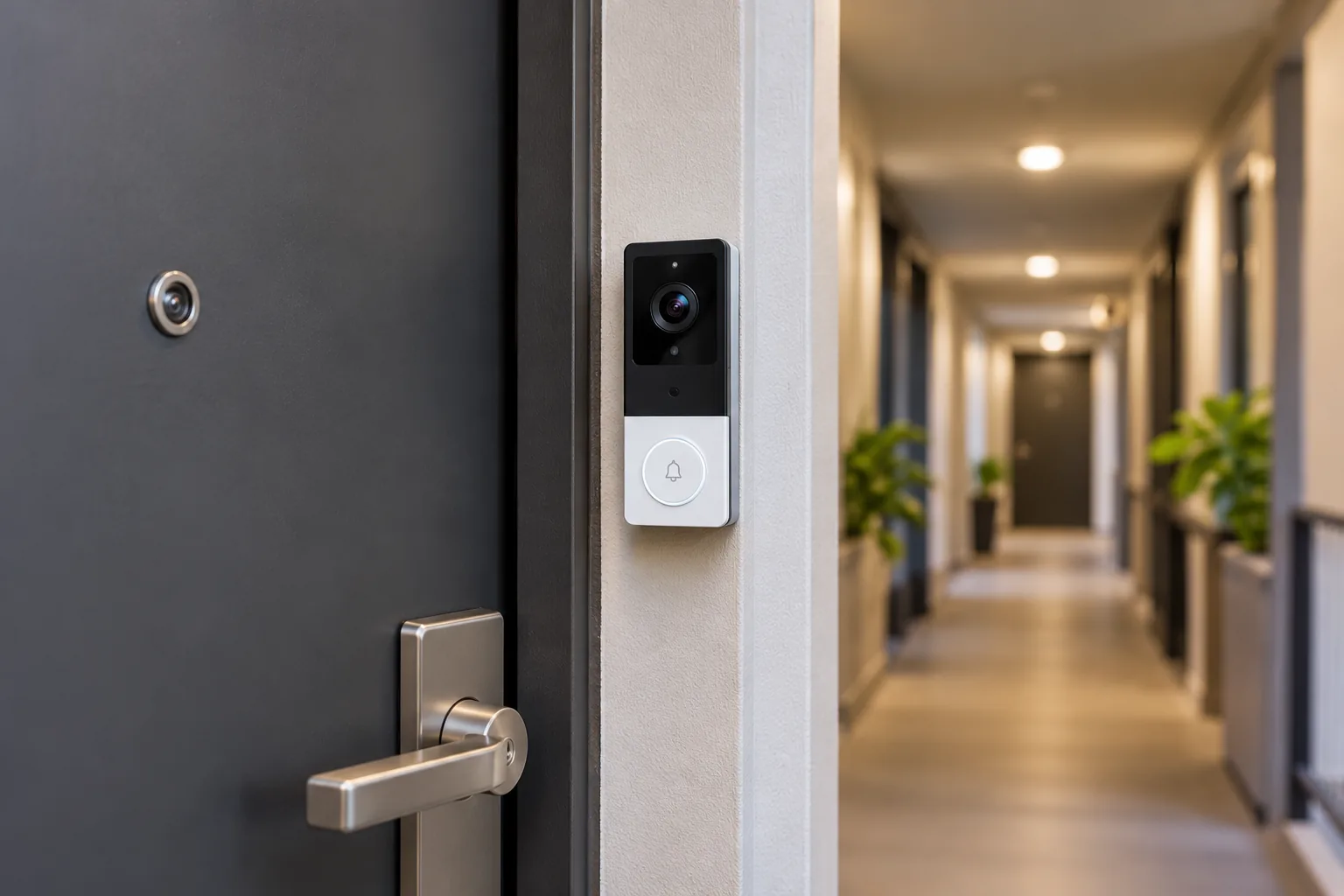
Before comparing camera resolution, write down where the device would go: on the door, beside it, or at a shared building entrance. These are different installation decisions. Permission to attach a device to your own entry door does not necessarily cover a communal wall or the building's intercom.
Ask the property manager about the exact location, attachment method, and proposed view. Include whether the camera would capture a neighboring doorway and whether audio would be enabled. Get a clear answer about removal and restoration, rather than relying on the product's “renter friendly” description.
Keep the original peephole and any removed hardware together. Photograph the existing finish before starting, and keep the approved mounting instructions. This gives you a practical restoration plan; it does not establish that an adhesive will leave every finish untouched.
Security cameras for apartments raise similar questions about shared spaces and approved mounting locations. For a doorbell, add another question: can a visitor find and press the button without entering an awkward corner or obstructing the door?
Compare video doorbells for apartments by installation route
| Your situation | Route to consider | Decisive check |
|---|---|---|
| Existing peephole and approved replacement | Ring Peephole Cam 2K | Exact door fit and acceptance of losing the optical view |
| Approved smooth mounting surface with no usable wiring | Tapo D225 in battery mode | Surface instructions, charging access, and Wi-Fi |
| Preference for a Ring battery doorbell beside the door | Exact compatible Ring No-Drill Mount | Accessory generation and approved surface; the cited instructions exclude glass |
| Existing doorbell circuit and permission to alter it | A model-specific wired installation | Circuit and chime compatibility, plus who may perform the work |
| Camera prohibited in the proposed location | Reconsider the installation | A different mount does not override the building's restriction |
These routes come from Ring's Peephole Cam 2K documentation, Ring's No-Drill Mount instructions, and Tapo's D225/D235/TD25 installation guide. The table is a selection aid, not a promise of fit for a particular apartment.
Peephole replacement: understand what disappears
Ring's current Peephole Cam 2K is the second-generation model identified as a 2026 release. It replaces an existing peephole without new wiring or drilling and uses an included removable Quick Release Battery Pack. Ring lists 2.4 GHz Wi-Fi for this model. Those details belong to the current 2K product, rather than every older camera carrying the Peephole Cam name. Source: Ring product page.
The significant tradeoff is physical viewing: after installation, you cannot look through an optical peephole. Ring directs users to Live View in its app or a compatible Echo Show instead. A resident who wants an optical view independently of the connected camera should treat this as a reason to reconsider the product, not a minor setup detail.
Do not buy from an older model's door-thickness or bore-diameter chart. Confirm the current model's fit against your actual door with Ring before ordering; the documentation used here does not establish numerical fit limits. Also check interior clearance for the battery assembly and whether the property manager permits replacing the peephole.
If those conditions fit your apartment, search Amazon for Ring Peephole Cam 2K. Match the exact generation when comparing results. The search does not verify a seller's stock or the compatibility of accessories offered alongside it.
Adhesive mounting: follow the exact accessory
“No drilling” describes an attachment method, not universal compatibility. Ring says its No-Drill Mounts are model-specific and are not interchangeable across doorbell models or generations. Its captured instructions require a clean, smooth, even surface and explicitly say not to install on glass. They call for holding the mount against the surface for five minutes, then allowing an hour for adhesion. Source: Ring No-Drill Mount installation.
Tapo's instructions for D225/D235/TD25 differ. They describe included one-time adhesive for tile, glass, marble, metal, stainless steel, and smooth wall surfaces, with a 15-second press after cleaning off dust. The adhesive should not be reused. Source: Tapo installation guide.
Those instructions are not interchangeable. A glass surface accepted for the specified Tapo installation is not evidence that a Ring accessory can go there. Likewise, a landlord's approval of adhesive does not tell you whether the finish is suitable for a particular manufacturer's mount.
Read the removal instructions before attaching anything. Ring describes removing the doorbell and accessories, holding the mount, and gently pulling down its adhesive strips until it releases. Do not replace that procedure with pulling the whole bracket away from the finish. Even a documented removal method is not a damage-free guarantee for your door.
Plan charging and Wi-Fi at the closed door
Battery power solves the absence of a doorbell circuit; it does not remove the need for connectivity. Tapo D225 US V1 specifies 2.4 GHz Wi-Fi, while Ring Peephole Cam 2K also uses 2.4 GHz. Check the network available at the intended location before treating either as a fit. Sources: Tapo D225 specifications, Ring Peephole Cam 2K.
Assess the location with the door closed, then verify the actual installed camera's live view and alerts. A phone connecting in the living room is not a test of the doorbell's connection at a metal entrance door. If you depend on a building-managed network, confirm that residents may connect this type of device and that you can complete its setup.
Make charging access part of the purchase decision. Ring's removable pack can be taken out to recharge. Tapo says the D225 must be detached and charged when its battery is low. Leave enough access to follow those procedures without disturbing the approved mounting arrangement. Do not assume a busy hallway will match a manufacturer battery-life illustration; this guide has no measured runtime for your traffic or settings.
Also separate power from recording mode. Tapo's hardwired Always-On mode requires suitable wiring and bypassing the existing chime. Google's Nest Doorbell battery model does not gain continuous recording simply because it is wired. Sources: Tapo installation guide, Google's doorbell comparison.
Wired video doorbells need a separate check of the circuit and existing chime before installation. In a rental, have the authorized installer or building representative resolve unfamiliar wiring rather than modifying a shared circuit experimentally.
Separate indoor alerts from saved recordings
An indoor chime tells you someone pressed the button. Saved video lets you return to an event later. A product can satisfy one need while leaving the other dependent on a separate accessory or subscription.
The Tapo D225 product page lists an included Tapo Chime and local microSD recording up to 512 GB; the card is purchased separately. Tapo Care cloud storage is optional and subscribed to separately. This makes D225 a relevant example for a renter who wants an indoor alert and a local recording route, provided the mounting and network conditions also fit. Source: Tapo D225 product details.
For that route, search Amazon for Tapo D225 video doorbell, then confirm the exact US package and storage requirements before buying. Plan the card as part of the setup rather than assuming local clips are saved out of the box.
Ring permits real-time viewing and answering notifications without a subscription, but says videos and photos are not saved without one. If your purpose is checking a delivery after returning home, live viewing alone will not meet it. Source: Ring doorbell subscription guidance.
Video doorbells without a subscription should be compared by what you can replay after missing an alert. Decide that requirement before paying for a mount, because a mechanically suitable installation can still be the wrong recording system.
Keep the hallway view and audio under control
Frame the area you actually need: a person at your door and, if appropriate, the delivery space immediately outside it. Inspect what the camera sees across the corridor, including a neighbor's open door. Do this before accepting a convenient mounting height as the final position.
Ring's Privacy Zones block selected areas in live and recorded video, with up to two zones on compatible devices and stated exceptions for some older hardware. A privacy mask hides part of the image; it is different from choosing which movement produces an alert. Source: Ring privacy features.
Audio is another separate control. The same Ring page says a compatible subscription is required to turn Audio Streaming and Recording on or off. It also describes Activate Once for two-way talk on a compatible device while the setting remains off after the session. Confirm the actual app, device, and plan before relying on this arrangement. A black rectangle over a neighbor's door is not proof that sound is disabled.
After setting the view, ask a household member to stand at the entry while you inspect live video. If recording is configured, play back a new clip as well. Check both framing and audio against your intended settings. This is an owner verification step, not a claim that these models were tested here or that software settings authorize a particular installation.
A practical apartment handoff checklist
Use this checklist before committing to a setup and keep a copy for move-out:
- Approval: Record the permitted location, attachment method, and shared-space boundaries.
- Exact hardware: Save the doorbell model, generation, accessory model, and applicable instructions.
- Fit: Confirm peephole compatibility or the approved adhesive surface before purchase.
- Power: Identify how the battery comes out or the whole doorbell detaches for charging.
- Connection: Verify the installed device at the closed door, including an actual alert and live view.
- Indoor notification: Confirm who can hear or receive a visitor alert when the main phone is unavailable.
- Recording: Replay a new event using the storage route you intend to keep after any trial ends.
- Privacy: Inspect the hallway view, masks, and audio settings separately.
- Removal: Retain the original hardware and the manufacturer's removal procedure.
For example, assume a renter has permission for a smooth metal frame, no existing circuit, and wants replay without an ongoing cloud plan. D225's documented adhesive installation, battery operation, local card recording, and included chime make it a reasonable candidate. The remaining checks are the actual finish, Wi-Fi, charging access, card setup, and approved view. If the same resident must retain an optical peephole, that requirement would rule out replacing it with the current Ring 2K model.
Questions to settle before ordering
Can a renter install a doorbell without drilling?
Potentially, using an approved peephole replacement or a model-specific adhesive mount. Permission and physical compatibility remain separate requirements. Ring Peephole Cam 2K replaces an existing peephole, while Tapo documents adhesive installation for specified surfaces. Confirm the exact product and building rules before choosing either route.
Will connecting wires eliminate all charging and recording limits?
Do not assume that. Check the exact model's power instructions and supported recording modes. Tapo D225's Always-On setup requires a chime bypass, while Nest Doorbell battery still does not support continuous recording when wired. Those are model-specific distinctions, not rules for every battery doorbell.
What should I choose first?
For video doorbells for apartments, choose the permitted installation route first, then the recording and alert arrangement. Confirm exact fit or surface compatibility before ordering. A successful choice is one you can mount, power, hear, review, and eventually remove under the conditions that apply to your apartment.