As an Amazon Associate we earn from qualifying purchases.
A dome security camera suits a location where a protective bubble and a compact housing fit the mounting job, provided you can keep nearby surfaces and the cover from reflecting light into the lens. Dome describes the housing. It does not tell you whether the camera uses Wi-Fi, Ethernet, plug-in power or a particular recorder.
For homeowners and small-property owners choosing dome security cameras, start with the scene, then check power, connection and nighttime image quality. The documented purchase-selection examples here are the TP-Link VIGI C240 US v1 and Reolink RLC-843A, both wired options. No current Wi-Fi dome model is qualified for a purchase recommendation in this guide; the wireless section explains what to verify before choosing one.
As an Amazon Associate, we earn from qualifying purchases. We may earn a commission when you buy through links on this page.
Quick take: Choose an exact camera and lens that fit the view, insist on separate weather and impact specifications, and test after dark with the dome installed. A good daytime picture cannot rule out infrared glare at night.
In this guide
- Start with the housing and the mounting job
- Compare two documented wired dome examples
- What to check for wireless dome security cameras
- Prevent infrared glare before drilling
- Treat weather, impact and focus as separate checks
- Verify recording and commission the installation
- Common questions about dome cameras
Start with the housing and the mounting job
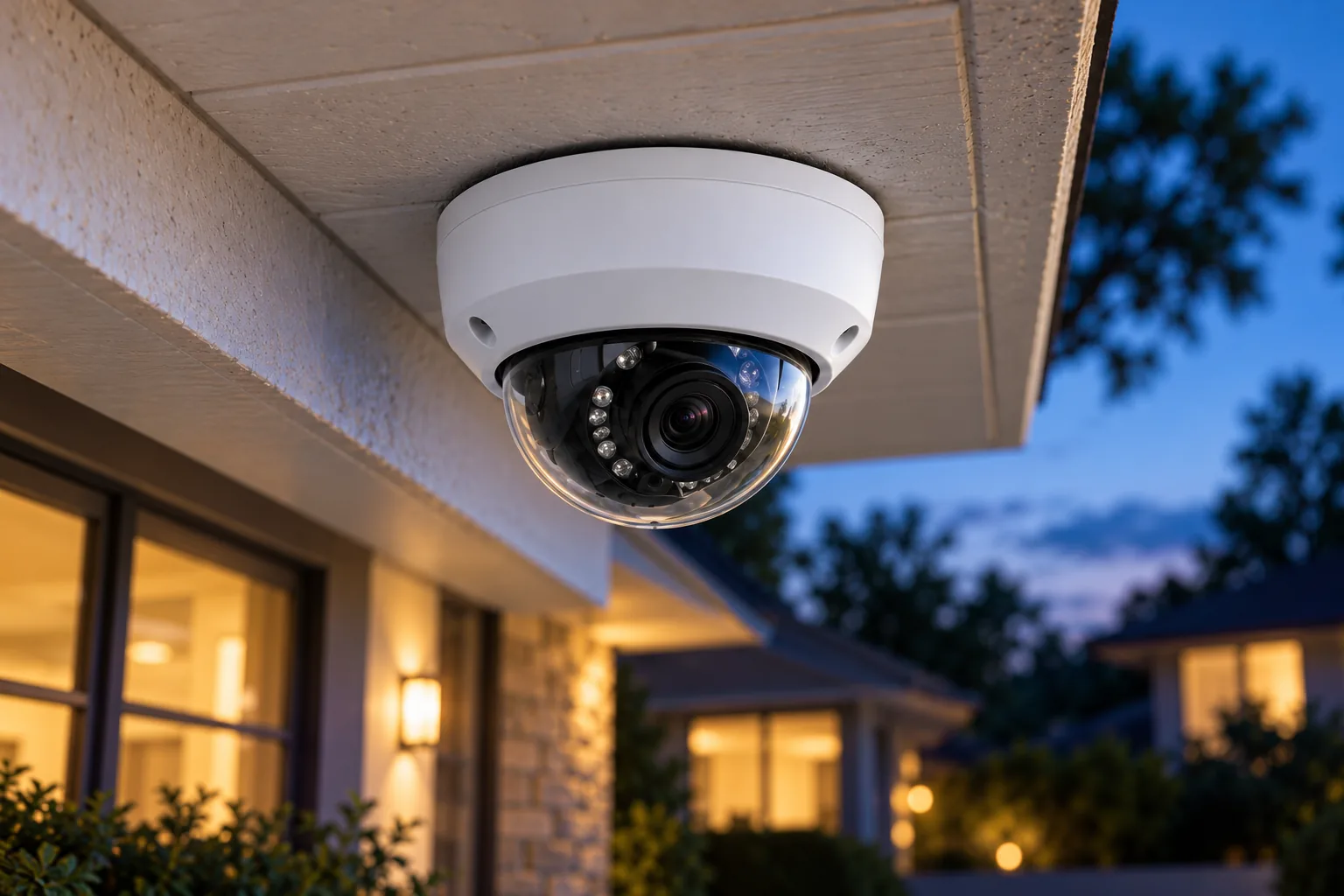
A dome puts a transparent cover over the camera's optics. That cover can be useful when the selected model provides the required impact protection, but it creates another optical surface to maintain. Infrared illumination, or IR, is light used by many cameras for viewing in darkness. Reflections from that light can produce a foggy image or a mirror-like effect inside a dome. Axis's white paper on dome reflections explains the mechanism and the installation choices that reduce it.
Compare a dome with open-lens turret or bullet alternatives at the actual site rather than declaring one housing universally superior. Ask whether the mounting surface lets you aim the lens without excessive tilt, whether an eave or wall is close to the illuminator, and whether the cover will remain accessible for cleaning. A housing that looks unobtrusive from the sidewalk may still be inconvenient if you cannot safely reach it for maintenance.
The housing also does not define the view. A dome can contain a narrow or wide lens, and a motorized zoom lens is a model feature rather than an automatic consequence of dome construction. If the real job is coverage across an entire wide area, panoramic security cameras address a different selection question from the shape of the cover.
Use this first-pass decision table before comparing megapixels:
| Your mounting condition | What to verify | Reason to reconsider the position |
|---|---|---|
| Close to a soffit or wall | Clearance around the IR illumination path | A surface outside the visible image can still reflect IR |
| Within easy reach | Exact impact rating and secure mounting method | Dome appearance alone establishes no impact protection |
| Exposed to rain or debris | Exact weather rating and maintenance access | Water and dirt on the bubble can affect the picture |
| Looking along a narrow approach | Lens angle and the size of the subject in the image | Wide coverage may devote too little image area to the target |
| Intended to use Wi-Fi | Required power supply and final wireless connection | A wireless link does not eliminate the need for power |
These are selection checks, not findings from a physical comparison test. The useful choice is the camera whose documented capabilities and tested placement meet your scene.
Compare two documented wired dome examples
The VIGI C240 US v1 and Reolink RLC-843A show why model-level checks matter. The former provides a fixed-lens choice; the latter documents a motorized optical zoom. Both have separately stated weather and impact ratings, but neither should be treated as immune to damage.
| Specification | VIGI C240 US v1 | Reolink RLC-843A |
|---|---|---|
| Documented resolution | 4 MP, 2560 × 1440 | 4K, 8 MP |
| Lens decision | 2.8 mm or 4 mm version | 5× optical motorized lens |
| Power/network arrangement | Ethernet networking; 802.3af/at PoE or 12 V DC power | PoE for power and data over one cable |
| Weather rating | IP67 | IP67 |
| Impact rating | IK10 | IK10 |
| On-camera microSD maximum | 256 GB | 512 GB |
| Useful selection question | Which fixed viewing angle fits the scene? | Does adjustable optical framing solve the scene better? |
Specifications come from the VIGI C240 US v1 page and RLC-843A product page. Reolink also lists RLC-843A in its US dome catalog. Catalog inclusion does not verify current stock, price or future support duration.
Choose the lens for a defined task
The C240's 2.8 mm lens has a documented 95.7-degree horizontal field of view; the 4 mm lens has a 79.7-degree horizontal field of view. Those are meaningful differences even though the housing and maximum resolution share a product name. The wider option shows more horizontal area at a given placement; the narrower option frames less of that area. Which is useful depends on where the subject must appear in the picture.
For an illustrative entrance, assume you must see the door and a short approach from a fixed mounting point. First mark those required boundaries, then compare the two lens views from that point. Do not assume the wider lens is better merely because it includes more background. If neither framing produces a useful image of the person at the door, reconsider camera position before increasing the camera count.
For a scene where the desired framing is uncertain, the RLC-843A's documented 5× optical zoom may be worth comparing. Its motorized lens does not establish pan-and-tilt movement or automatic patrol capability. Treat zoom, aiming and movement as separate specifications, and check the exact installation guide before assuming remote adjustment solves every positioning problem.
Keep lighting claims attached to the lighting
TP-Link attributes the C240's full-color performance in darkness to a combination that includes attached supplemental lights. That claim does not describe unilluminated color capture in total darkness. Decide whether adding light to the scene suits the location and neighbors, then inspect an actual recording under the mode you intend to use. TP-Link's C240 description identifies those illumination requirements.
Security camera night vision should be evaluated at the chosen mounting point. Resolution and color marketing cannot tell you whether a nearby wall will wash out the view or whether the subject remains useful in motion.
What to check for wireless dome security cameras
Wi-Fi describes the network connection; it does not specify the power arrangement. Before considering a wireless dome, require an exact currently supported model, its power instructions, supported Wi-Fi bands, recording choices and installation guide. A seller's “wireless dome” label is not enough to answer those questions.
Two older Reolink models illustrate the lifecycle trap. Reolink explicitly marks RLC-842A and RLC-843WA discontinued. They are not current purchase recommendations here. In particular, an old RLC-843WA page describing Wi-Fi does not make the separately documented RLC-843A a wireless camera. The model suffix changes the product you are researching.
For an existing RLC-843WA owner, Reolink's applicable Wi-Fi setup guide describes DC-adapter power and temporary Ethernet for initial setup. After Wi-Fi configuration, it says to unplug Ethernet to verify the wireless connection; leaving Ethernet connected means the camera continues using the wired connection. Keep the required DC power connected during that check.
That creates a useful commissioning rule for an owner following that guide: a successful picture during wired setup is not proof of working Wi-Fi at the final position. Test the intended connection itself. For another model, follow that model's instructions rather than copying the older camera's procedure, voltage or network support.
Prevent infrared glare before drilling
Axis identifies several causes of reflections: nearby objects, contamination on the bubble, external lights and IR leakage around the lens seal. Its guidance is a useful diagnostic starting point; the selected camera's manual takes priority for permitted adjustment and cleaning. Axis's reflection white paper provides the underlying examples.
Inspect outside the visible picture
An IR beam can cover a wider angle than the image. A wall or bright soffit just outside the frame may therefore reflect light into the camera even though the live image shows no obstruction. Look around the housing and illumination path, rather than checking only the screen.
For a hypothetical dome under a porch, assume the daytime view includes the entire entrance but the night image looks hazy. Before changing image settings, inspect the adjacent ceiling and wall, then temporarily adjust the position or aim within the manufacturer's permitted range. Compare recordings under the same lighting. This is a troubleshooting exercise to perform at the property, not a claim that every hazy image has the same cause.
Preserve the lens seal and cover
Axis advises minimizing lens tilt and keeping the rubber seal around the lens intact and in contact with the dome. Do not remove a ring or modify the cover to obtain a more convenient angle. If the required direction cannot be achieved within the documented installation limits, a different mounting position or housing may be a better fit.
Axis also identifies dirt, dust, spider webs, water droplets, snow and ice as potential reflectors on the bubble. Its cleaning guidance includes mild soap, water and a soft microfiber cloth to avoid scratches. Check the exact model's maintenance instructions before applying any cleaner or treatment; a general white paper does not authorize a coating on every cover.
Other cameras' IR lights and white lamps aimed toward the dome can also create reflections. Check the scene with those lights in their normal nighttime state. Moving or redirecting an external light may resolve a problem that would otherwise be mistaken for a defective camera.
Treat weather, impact and focus as separate checks
An IP67 weather rating and an IK10 impact rating describe different properties. Both C240 and RLC-843A list them, but that does not establish every dome's resistance, an installation's sealing quality or guaranteed survival of an attack. Verify the exact model and the required mounting and cable-entry method before relying on its ratings.
The bubble is also part of the optical path. Axis notes that a dirty or scratched cover can degrade image quality and autofocus. Its focus troubleshooting guide supports checking the cover and relevant focus conditions before assuming that a sharper sensor or a different resolution setting is the answer. Confirm the picture with the cover installed as it will be used.
A tinted cover is not automatically an upgrade. Axis says a semi-smoked dome can reduce the impact of reflections while also reducing light sensitivity. Use only an approved cover for the exact model, and weigh that loss against the actual problem rather than choosing tint for appearance alone.
Verify recording and commission the installation
The C240 lists ONVIF, several H.264/H.265 stream options and onboard microSD storage. Those are separate from its dome housing and do not establish that every recorder supports every camera function. Match the exact recorder, stream format and required recording behavior before ordering a mixed system. The RLC-843A page separately documents its own microSD and Reolink NVR recording options; do not transfer those capabilities to another similar-looking model.
Use outdoor camera installation planning to settle the mounting surface, cable route and access for maintenance. Before drilling, check for hidden services and follow the supplied mounting instructions. If new electrical work is needed, use qualified help rather than improvising an exposed power connection.
Keep this acceptance checklist for each view:
- Record the exact model, lens version, intended recorder and power source.
- Temporarily check framing at the required subject position, including the installed cover.
- Test the intended network connection at the mounting location.
- Recheck after dark with normal IR, supplemental lighting and nearby lamps active.
- Inspect adjacent surfaces outside the frame for reflected light.
- Make a recording, find it in playback and practice exporting it.
- Confirm that the cover can be cleaned safely and that cables and entries follow the manual.
Common questions about dome cameras
Is every dome camera vandal resistant?
No. Check the exact model's stated impact rating and installation instructions. The two documented wired examples here list IK10, but dome shape alone does not establish a rating. An impact specification also does not promise that a camera cannot be damaged or obstructed.
Will a clear daytime image guarantee good night vision?
No. Reflections from the camera's own IR illumination or nearby lights can appear after dark. Check the installed cover, lens seal and nearby surfaces in the actual nighttime lighting. Inspect a saved recording as well as live view before accepting the location.
What should I choose next?
Choose the mounting location and required view first, then compare a documented model and lens against them. You can search Amazon for VIGI C240 dome cameras or search Amazon for Reolink RLC-843A to investigate sellers. Verify the exact variant and bundle independently; a search result is not a compatibility or stock confirmation.