As an Amazon Associate we earn from qualifying purchases.
Choose a panoramic security camera when you need several parts of a scene recorded at the same time. A fisheye camera provides a circular overview, a stitched camera joins multiple views into a wide panorama, and a multidirectional camera aims separate heads at different zones. A rotating camera looks where it is pointed at that moment. None of these designs can see through a wall, furniture or another physical obstruction.
As an Amazon Associate, we earn from qualifying purchases. We may earn a commission when you buy through links on this page.
Quick choice: Use a fisheye for a room overview, a stitched 180-degree camera for a broad frontage, and separate adjustable heads for distinct directions. If you need close detail in one critical zone, evaluate that task separately from overall coverage.
This guide is for households and small properties comparing wide-angle and “wireless 360” cameras. It uses manufacturer specifications and technical guidance checked October 18, 2026, rather than hands-on tests. The important purchase is the view you can later retrieve, not simply a 360-degree number on the box.
Contents
- What does 360-degree coverage mean?
- Separate seeing activity from identifying a person
- Compare two documented panoramic examples
- Plan the view around physical obstructions
- Test dewarping in recorded playback
- Budget bandwidth and storage for the chosen stream
- Use this selection checklist
- Questions about panoramic cameras
What does 360-degree coverage mean?
A single-sensor fisheye camera uses a very wide-angle lens to capture a circular image. Dewarping is software processing that turns parts of that image into more natural-looking views, such as a panorama or four separate panels. A stitched multisensor camera instead aligns overlapping images from multiple lenses into one panoramic image. Multidirectional designs retain separately aimed views. Axis’s panoramic-camera guide distinguishes these architectures.
Those designs can all be marketed around wide coverage, but they answer different questions. Do you need to watch the whole room continuously, cover the width of a building, or place a useful view on each of several approaches? A camera that can turn around is not equivalent to a fixed camera that records its supported overview simultaneously.
PTZ security cameras are worth comparing when active close-up viewing matters more than a fixed panoramic composition. PTZ means pan, tilt and zoom; digital PTZ within a panorama crops a captured image, while a motorized PTZ changes the direction of the camera itself. A combined panoramic-plus-PTZ unit can provide an overview and a separate moving detail view, but its exact operation remains model-specific.
| Design | What it records simultaneously | Strong starting use | Main question before buying |
|---|---|---|---|
| Single-sensor fisheye | Circular wide-area view | Open room overview | Can the recorder dewarp the saved original? |
| Stitched dual/multisensor panorama | Joined wide image within its field of view | Broad frontage or open yard edge | Does the useful vertical coverage include the important targets? |
| Multidirectional heads | Separate zones at once | Building corner or intersecting paths | Can each head be aimed where detail matters? |
| Motorized rotating/PTZ view | Scene inside its current view | Active inspection of selected areas | What records elsewhere while it looks away? |
| Panoramic plus PTZ combination | Overview plus a separate detail view | Context and active investigation | Are the full combined functions supported by the chosen system? |
The architecture distinctions and combined-camera concept come from Axis’s official guide. The use cases are selection guidance, not a claim that any one product meets every scene.
Separate seeing activity from identifying a person
An overview can answer where someone walked without capturing the detail needed to establish who they were. Increasing the amount of scene in the frame distributes the available pixels across a wider area. Axis explains that, with the same sensor resolution, a narrower vertical field of view can concentrate more pixel density in the smaller covered area. Its panoramic guidance makes coverage and detail separate design priorities.
Pixel density describes how many image pixels represent a unit of the scene, usually pixels per meter. Axis lists these design references: 25 pixels/m for detection, 63 for observation, 125 for recognition and 250 for identification. These are planning references, not guaranteed face-recognition results or universal purchasing thresholds. Axis’s image-usability guidance also stresses viewing angle, lighting and the requirements of any analytics.
A simple hypothetical calculation shows why the distinction matters. Assume an image has 4,000 usable horizontal pixels uniformly covering a flat, 20-meter-wide target plane. Dividing gives 200 pixels/m. Under the same simplifying assumptions, covering 40 meters produces 100 pixels/m. This is arithmetic for an imagined scene, not a performance measurement or a valid prediction for a distorted fisheye edge.
Use that example to frame a better question: how much useful source detail lands on the target at the position you care about? Do not calculate a guaranteed identification distance from total megapixels alone. If a doorway needs identification while the surrounding yard needs only context, consider a dedicated view for that doorway alongside the overview.
Compare two documented panoramic examples
Reolink Duo 3 WiFi: a stitched 180-degree view
Reolink lists Duo 3 WiFi at 7680 × 2160 pixels and 20 frames per second, with a 180-degree horizontal and 55-degree vertical field of view. This is a wide stitched image, rather than an ordinary 16:9 frame described loosely as “4K.” Its usefulness depends on whether that broad, relatively shallow view includes the targets in your scene. Reolink’s US product specifications supply those dimensions.
Its networking and power also deserve separate checks. The specifications list 2.4/5GHz Wi-Fi 6 or 10/100 Ethernet for data, and DC 12V/2A power. Wi-Fi therefore does not make this a battery camera. If your intended position has a good view but no suitable power arrangement, resolve that installation issue before choosing it.
Reolink lists microSD support up to 512GB and motion-triggered, scheduled and 24/7 recording modes. Compatible Reolink NVR storage is another option, but check the exact recorder and supported functions before treating that as a complete system recommendation. The camera’s main stream is listed at 3072–12288Kbps, with a default of 6144Kbps. These are useful storage and network planning inputs, not a promise of a fixed retention period. The same specification page contains the recording and stream details.
If this type fits your placement and recording requirements, you can search Amazon for Reolink Duo 3 WiFi cameras. A search result does not confirm the exact variant, current availability or NVR compatibility.
Axis M4308-PLE: a fisheye design example
Axis describes M4308-PLE with a 12MP sensor, a stereographic lens and a 360-degree overview. Its product table lists maximum video resolution as 2880 × 2880. The sensor label and the delivered stream dimensions are therefore different facts. This camera illustrates why a headline megapixel comparison does not establish the detail in a selected dewarped view. Axis’s product documentation supplies those specifications.
A stereographic lens allocates more sensor area toward the periphery than an ordinary wide-angle projection, helping peripheral representation. That documented design principle does not supply a measured edge-detail comparison against the Reolink camera. Nor does this guide establish M4308-PLE’s present lifecycle or retail availability; treat it as a documented architecture example and verify those points before considering a purchase.
The M4308-PLE technical documentation includes quad-view configuration and explains that capture mode affects the image boundaries and settings such as view areas and privacy masks. Confirm the supported mounting and display modes in the full manual for your intended installation rather than assuming every fisheye mode works in every position.
Plan the view around physical obstructions
Ceiling and wall positions can serve different purposes. Axis explains that a ceiling-mounted fisheye provides a room overview, while wall placement can offer an angle better suited to faces. That is a design distinction, not assurance that either position eliminates hidden areas. Walk through the actual scene and note tall shelving, doors, trees, vehicles and projecting walls. Axis’s placement discussion provides the general basis.
Outdoor camera placement should begin with the areas that must remain visible when normal obstacles are present. A camera above a driveway might show an empty parking area well but lose a walkway behind a parked vehicle. Mark the obstruction on a sketch rather than expecting a wider lens to solve it.
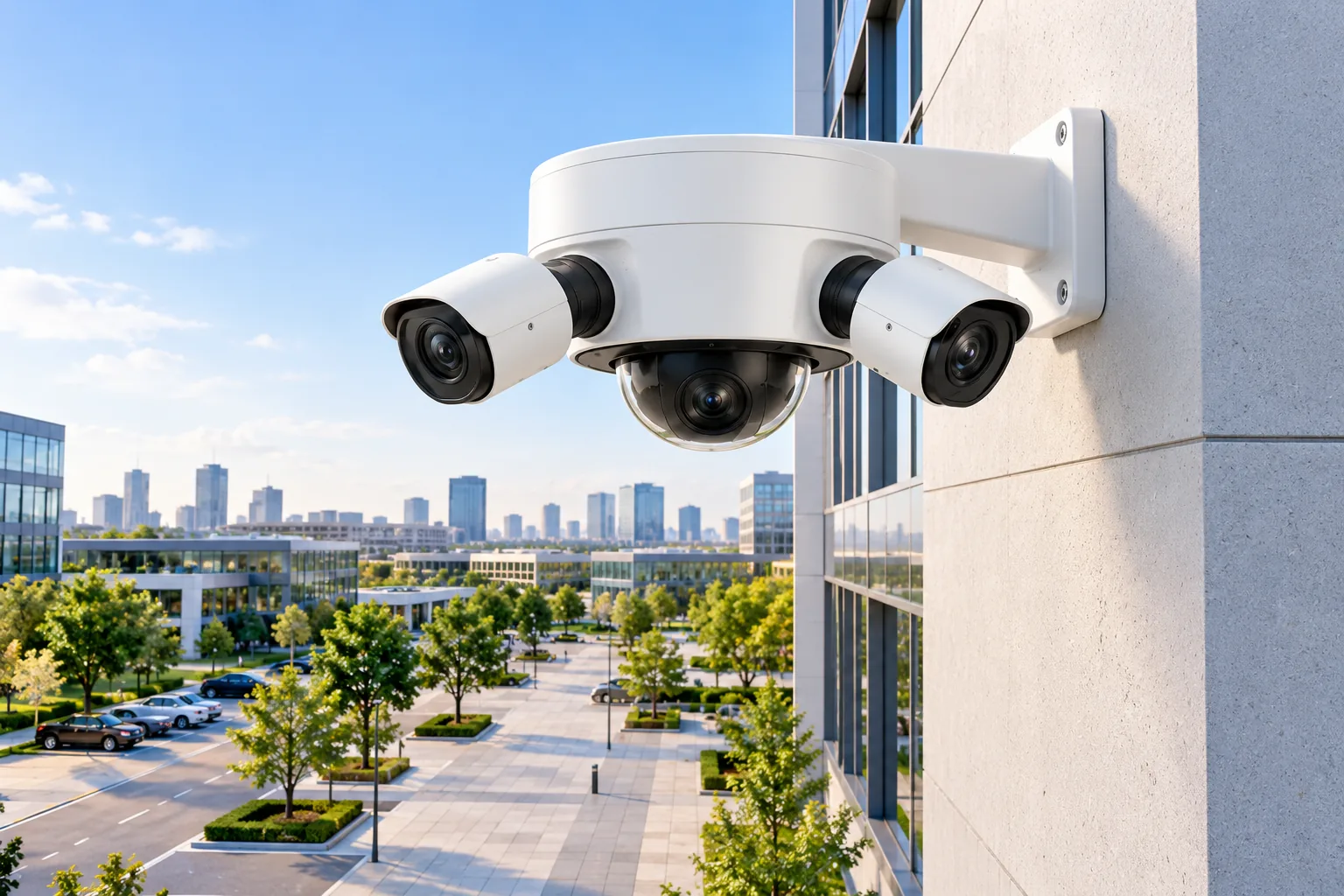
At a building corner, adjustable multidirectional heads can be more useful than a single stitched frontage view. Axis gives an example where three heads cover the outward directions and a fourth points down at the area below the camera instead of facing a wall. This illustrates efficient aiming; confirm the adjustment range and view geometry of the actual model before specifying it.
For each proposed position, list one priority target and one likely obstruction. If you cannot explain how the target remains visible, move the camera or add a separate view. Wider coverage is useful only within the sightlines the location actually provides.
Test dewarping in recorded playback
A good live demonstration is insufficient if the saved video cannot be investigated in the same useful way. VMS means video management software: the application that manages cameras, recording and playback. Axis describes digital pan, tilt and zoom within a retained circular recording in supported VMS software. That lets an investigator choose views afterward, provided the original overview was recorded and the playback system supports the operation. Axis explains this recording workflow.
Before purchase, ask a supplier to demonstrate the exact camera and recorder or VMS together. Request a saved recording, close the live display, then reopen the recording and select the important areas. If a demonstration shows only a preselected cropped panel, it has not proved that other parts of the original scene remain available.
Digital zoom cannot create detail the source never captured. Axis explains that lossless digital zoom remains possible while the selected source-view pixels suffice for the output resolution; further enlargement requires upscaling and becomes lossy. Its lossless-zoom paper describes the limit. Judge the saved target detail at the needed enlargement, not merely the size of the displayed image.
Security camera recording options should include a playback demonstration in the intended viewing software. Ask which overview and dewarped streams are stored, which views can be reconstructed later, and what an exported clip preserves. Avoid assuming a listed network protocol guarantees every dewarping or analytics function.
Budget bandwidth and storage for the chosen stream
Use the actual selected bitrate, recording schedule and number of stored streams. As an illustrative calculation, assume one constant stream at 6144 kilobits/second, using decimal units, recording for a full day. Dividing by eight and multiplying by 86,400 seconds gives about 66.4GB/day before overhead. That is a planning example based on the Duo 3 WiFi default bitrate, not a measured daily file size.
Real retention can differ with the configured encoding, bitrate behavior, recording schedule, available formatted storage and additional streams. Do not divide an advertised card capacity by that estimate and present the result as a guaranteed retention period. Verify actual storage consumption after installation.
Axis’s M4308-PLE documentation likewise warns that high resolution, simultaneous streams, codecs and applications can affect bandwidth or frame rate. Adding a second view is not automatically free of system cost. Check the intended capture and stream configuration before buying the recorder or storage.
Use this selection checklist
- Purpose: Do you need presence detection, a route overview or identification at a named point?
- Simultaneous coverage: Which zones must be visible at the same time?
- Architecture: Fisheye, stitched panorama, adjustable heads or a moving detail view?
- Position: What blocks each important target during normal use?
- Power and network: Does the exact model fit the available supply and connection?
- Playback: Can the chosen system dewarp the retained original and export useful footage?
- Storage: Which streams are retained, at what settings and for how long in actual use?
- Privacy: Which neighboring or private areas should be excluded, masked or avoided through aiming?
Questions about panoramic cameras
Is a rotating 360-degree camera the same as a fisheye?
No. A fisheye captures its supported circular overview simultaneously. A motorized camera changes its viewing direction over time. If activity in multiple directions must be recorded at once, compare simultaneous views or add fixed coverage rather than relying only on rotation.
Does dewarping improve image detail?
Dewarping changes how the captured image is displayed and can make it easier to interpret. It does not add source detail. Sensor allocation, target distance, viewing angle and lighting still matter, and further digital enlargement can exceed the available pixels.
Can one panorama replace several fixed cameras?
Sometimes it can consolidate useful overview coverage, but that conclusion depends on sightlines and required target detail. A dedicated identification view can remain necessary even when the panorama shows the wider event clearly. Prove both jobs in recorded footage before removing existing views.
Choose the architecture around simultaneous coverage, then verify target detail and saved playback. A documented wide view is a starting point; the finished decision depends on what remains visible, readable and retrievable in your actual scene.