As an Amazon Associate we earn from qualifying purchases.
Wireless security cameras capture and encode video, then use a radio connection to send it toward an app, recorder or cloud service. Many use home Wi-Fi; some use a cellular network. They still need power, and their recording destination is a separate choice. A camera may save locally even when a remote viewing path is unavailable, depending on its exact design.
Key takeaways: Wireless data does not necessarily mean battery power. Bluetooth may be used only for setup. Local Wi-Fi and internet access are different links. Recording, live viewing and notifications can fail independently.
This guide is for homeowners trying to understand a camera's connections or diagnose why one function works while another does not. It uses documented examples from TP-Link and Reolink, rather than packet measurements or a product ranking. Offline behavior and hub compatibility remain model-specific.
Contents
- How do wireless security cameras work, step by step?
- Wireless power and wireless data are different
- Bluetooth can handle setup without carrying live video
- What do the router and hub do?
- Wi-Fi is not the only wireless transport
- What works without internet or Wi-Fi?
- Trace a failure with this worksheet
- Common questions
- Follow the complete connection path
How do wireless security cameras work, step by step?
Think of a camera as carrying out several related jobs:
- Capture: The camera produces video of its scene.
- Encode: Video is represented in a format suitable for storage and transmission.
- Record: If configured and supported, footage is saved to the chosen destination.
- Transmit: A wireless network carries video and control traffic between the camera and other devices or services.
- Display or notify: An app shows live or saved video, or receives a supported alert.
These functions are connected, but they are not interchangeable. The Tapo C120 V2, for example, specifies H.264 video encoding, local microSD storage and optional paid cloud storage. Its network connection is 2.4GHz IEEE 802.11b/g/n Wi-Fi, while operating power comes from a 5V, 1A Type-C supply. TP-Link's C120 V2 specifications show the separate encoding, storage, networking and power entries.
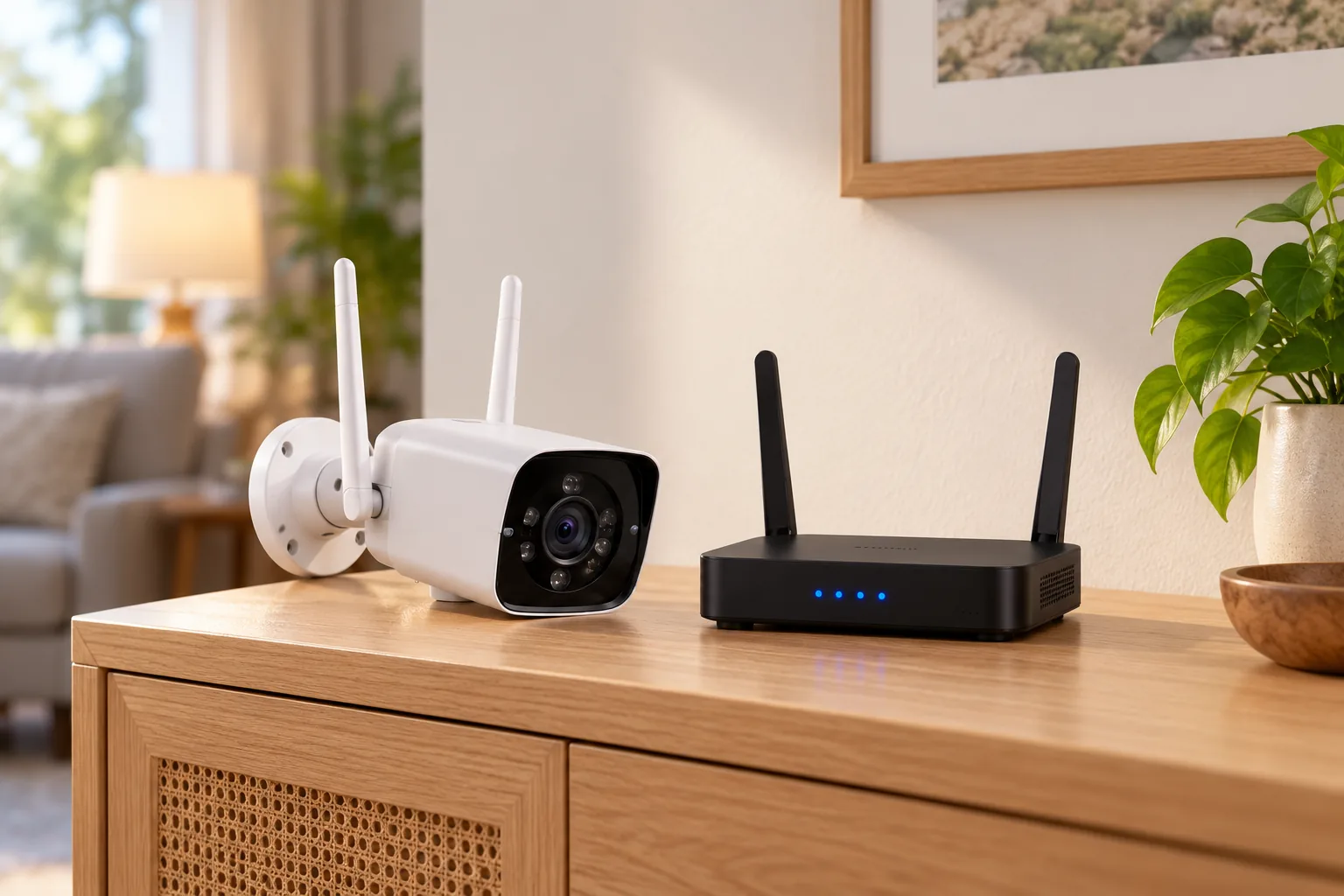
A useful simplified path is camera → home Wi-Fi/router → viewing device or internet service. Local recording can create another branch at the camera's storage. The precise route to the app depends on the manufacturer's system, so this diagram is a way to identify components, not a claim about a particular app's internal traffic routing.
Use security camera recording options to decide which local or cloud destination should hold the footage you need.
Wireless power and wireless data are different
A plug-in wireless camera uses a cable for electricity and Wi-Fi for communication. A battery Wi-Fi camera avoids that permanent power cable, but still needs a supported wireless network for its network functions. Neither description tells you everything about recording or remote access.
The Tapo C425 illustrates the second arrangement: it uses a built-in rechargeable battery and 2.4GHz Wi-Fi, and TP-Link says no separate hub is required to connect it to the network. Its microSD card is a separate purchase. The C425 documentation makes clear that being wire-free for power does not remove the network or storage decisions.
For a placement decision, write down three independent answers: where electricity comes from, where video travels and where recordings are saved. “Battery, Wi-Fi, microSD” describes one arrangement. “Outlet, Wi-Fi, optional cloud” describes another. Both are wireless cameras, with different maintenance and connectivity requirements.
A wireless security camera buying guide can help turn those connection requirements into a model shortlist.
Bluetooth can handle setup without carrying live video
Do not assume that a Bluetooth feature means you can stream the camera's video over Bluetooth. The C120 V2's specification explicitly labels its Bluetooth connection for setup only, while listing Wi-Fi as its network connection. The C120 V2 network specification supports that limited interpretation.
Reolink's Argus 4 Pro specification separately lists Bluetooth 5.0 and dual-band 2.4/5GHz Wi-Fi 6. The existence of both radios is not evidence that Bluetooth is an alternative live-video transport. Its documented network capabilities should be checked on their own terms. Reolink's Argus 4 Pro page distinguishes these interfaces.
This explains a common troubleshooting trap: a phone can discover a camera during setup, yet the camera may still lack the working Wi-Fi connection required for ordinary viewing. Successful discovery establishes only that stage of the process. Continue through network setup, then verify live video and saved playback separately.
What do the router and hub do?
A router and the local Wi-Fi network provide a path for devices to communicate. An internet connection adds a route beyond the home network. A camera hub can provide supported recording or integration functions, but its role depends on the exact manufacturer and camera.
Do not treat a hub as a universal translator. The Argus 4 Pro FAQ says RTSP access is supported using Reolink Home Hub. RTSP is a video-streaming protocol that can matter when connecting to compatible third-party software. That documented hub path does not establish standalone RTSP support or compatibility with any recorder that advertises the same protocol. The Argus 4 Pro FAQ provides the relevant condition.
The same camera's page specifies triggered recording and microSD support up to 512GB. Those are properties of that model, not a rule that every battery camera records only events or that every hub supports every camera. Check both the recording mode and integration path before choosing a camera for another system.
Wi-Fi is not the only wireless transport
Cellular cameras use a mobile network
The Reolink Go PT Ultra uses 4G LTE with its own SIM and data plan rather than the home's Wi-Fi connection. It uses battery/solar power and documents motion-triggered local recording. Reolink's Go PT Ultra page separates its cellular data path from power and storage.
This can explain how a camera at a remote location reaches an app without joining the house's router. It does not mean the camera needs no network: the cellular service is the network path. Confirm coverage, supported service and data requirements for the exact model and region. The phone used to view it is a separate device with its own connection.
For the wider location decision, consider security cameras without Wi-Fi after identifying whether you still need remote viewing.
A private radio bridge connects locations
An outdoor radio bridge is another arrangement. TP-Link's CPE510 is networking equipment for applications including point-to-point wireless links. It is not a camera or a source of operating power for an arbitrary remote camera.
Its documentation distinguishes standard IEEE 802.11a/n operation with MAXtream disabled from proprietary TDMA operation with MAXtream enabled. It also specifies its own 24V passive PoE adapter. TP-Link's CPE510 specifications demonstrate two separate checks: radio compatibility and local electrical supply. A wireless span between buildings still needs properly powered equipment at the relevant locations.
What works without internet or Wi-Fi?
The answer depends on which connection disappears. A router can continue providing local Wi-Fi while its internet service is unavailable. Losing the camera's Wi-Fi connection removes a different part of the path.
Reolink publishes the following distinction for the non-battery camera class covered by its Wi-Fi support article. That article excludes battery cameras and describes initial online Ethernet/router setup, so this table must not be applied to the C425, Argus 4 Pro or every Wi-Fi camera. Reolink's offline Wi-Fi guidance is the source for the capabilities below.
| Function in the documented Reolink class | Wi-Fi connected, internet unavailable | Wi-Fi disconnected |
|---|---|---|
| Local app access and live viewing | Available | Unavailable |
| Local app playback | Available | Unavailable |
| SD recording | Available | Available |
| Audible alarm | Available | Available |
| Remote viewing and playback | Unavailable | Unavailable |
| Push notifications and email | Unavailable | Unavailable |
The practical distinction is that saving footage and reaching footage are different functions. In this supported example, a disconnected camera may keep saving to its card even though the app cannot currently show live video or playback. An unavailable alert is likewise not proof that recording stopped.
Use a model-specific support table to make the same distinction for your camera. Avoid changing settings or replacing equipment until you know whether the missing function depends on local Wi-Fi, internet service, storage or power.
Trace a failure with this worksheet
Imagine a camera shows live video when you are home but cannot be viewed while you are away. As a conditional diagnosis, a functioning local path makes the remote path worth checking next; it does not prove a camera hardware failure. Conversely, an app notification without a playable saved event should lead you to verify recording and storage as well as connectivity.
Record these facts before contacting support:
- Identity: Full camera model and hardware version, app and any hub or recorder.
- Power: Whether the camera and required network equipment are operating.
- Connection: Wi-Fi band, router/hub relationship or cellular service used.
- Viewing: Whether live video works locally and from an outside network.
- Recording: Destination, enabled mode and whether a known recent event can be played.
- Notifications: Which alerts arrive and which are missing.
Wireless camera installation should finish with separate checks for pairing, final-position live video and saved recordings.
Common questions
Does wireless mean no cables?
It usually describes a data connection, so check power separately. The C120 V2 combines wired Type-C power with Wi-Fi. The C425 uses battery power and Wi-Fi. A rechargeable camera may also need periodic charging or a compatible solar connection, even when no permanent power cable runs from the house.
Can I use Bluetooth instead of Wi-Fi?
Only if the exact camera explicitly supports the function you need that way. The C120 V2 identifies Bluetooth as setup-only. Bluetooth discovery or a Bluetooth version number does not establish live-video streaming support. Check the ordinary network requirements before relying on the camera at its final location.
Will local storage guarantee remote access?
No. Storage holds footage; remote access requires a functioning supported connection path. The documented Reolink example retains SD recording without Wi-Fi while app viewing and playback are unavailable. Confirm the exact camera's behavior rather than assuming that a card slot provides an independent route to your phone.
Follow the complete connection path
To understand a wireless camera, identify its power supply, radio/network path and recording destination first. Then distinguish local viewing from remote viewing and notifications. Those separate checks explain how the camera works and make failures easier to isolate without assuming that a single “wireless” label describes every function.