As an Amazon Associate we earn from qualifying purchases.
Choose eufy outdoor security cameras by power, recording needs and storage before comparing resolution. SoloCam S340 is a relevant solar-and-battery example when you want a standalone Wi-Fi camera with built-in storage. Floodlight Cam E340 is the wired example to consider when you need documented continuous recording and can provide a suitable mains installation.
Quick decision: Start with S340 for a solar-powered adjustable view and hub-free operation. Start with E340 for a powered floodlight position and a continuous recording plan. Add a HomeBase only after confirming the exact camera, hub and feature requirements.
As an Amazon Associate, we earn from qualifying purchases. We may earn a commission when you buy through links on this page.
This guide compares those two documented examples for US homeowners, using manufacturer material checked October 18, 2026. It is not an exhaustive ranking of Eufy's lineup or a hands-on performance review.
Contents
- Compare S340 and E340
- S340 standalone operation
- E340 wired recording
- Local storage and cloud functions
- HomeBase compatibility
- Solar placement
- Questions before choosing
Compare SoloCam S340 and Floodlight Cam E340
Similar model names conceal different installation jobs. Eufy identifies SoloCam S340 as T8170 and Floodlight Cam E340 as T8425. Keep the full name and product number together when checking accessories and compatibility.
| Decision | SoloCam S340, T8170 | Floodlight Cam E340, T8425 |
|---|---|---|
| Power arrangement | Battery with removable solar panel | Final installation requires 100–240VAC, 50/60Hz |
| View | 3K wide-angle and 2K telephoto lenses; 360° pan and 70° tilt | 3K and 2K lenses; integrated 2,000-lumen floodlight |
| Standalone recording storage | 8GB on-device storage | Separately purchased Class 10 microSD, up to 128GB |
| Documented HomeBase option | S380 for enhanced features and expanded storage | HomeBase 3 is an alternative recording destination |
| Continuous recording decision | Do not assume it supplies a 24/7 timeline | Official specifications explicitly support 24/7 with microSD or HomeBase 3 |
| Main installation constraint | Combine a useful camera view with adequate solar charging | Provide suitable mains wiring and confirm the recording arrangement |
Sources: S340 product page, E340 introduction, E340 user guide.
These distinctions matter more than the presence of Wi-Fi. A camera can use Wi-Fi for communication while requiring permanent wired power. A solar panel can replenish a battery without establishing continuous recording support. Treat connection, energy and recording mode as three separate decisions.
S340: a standalone camera with optional expansion
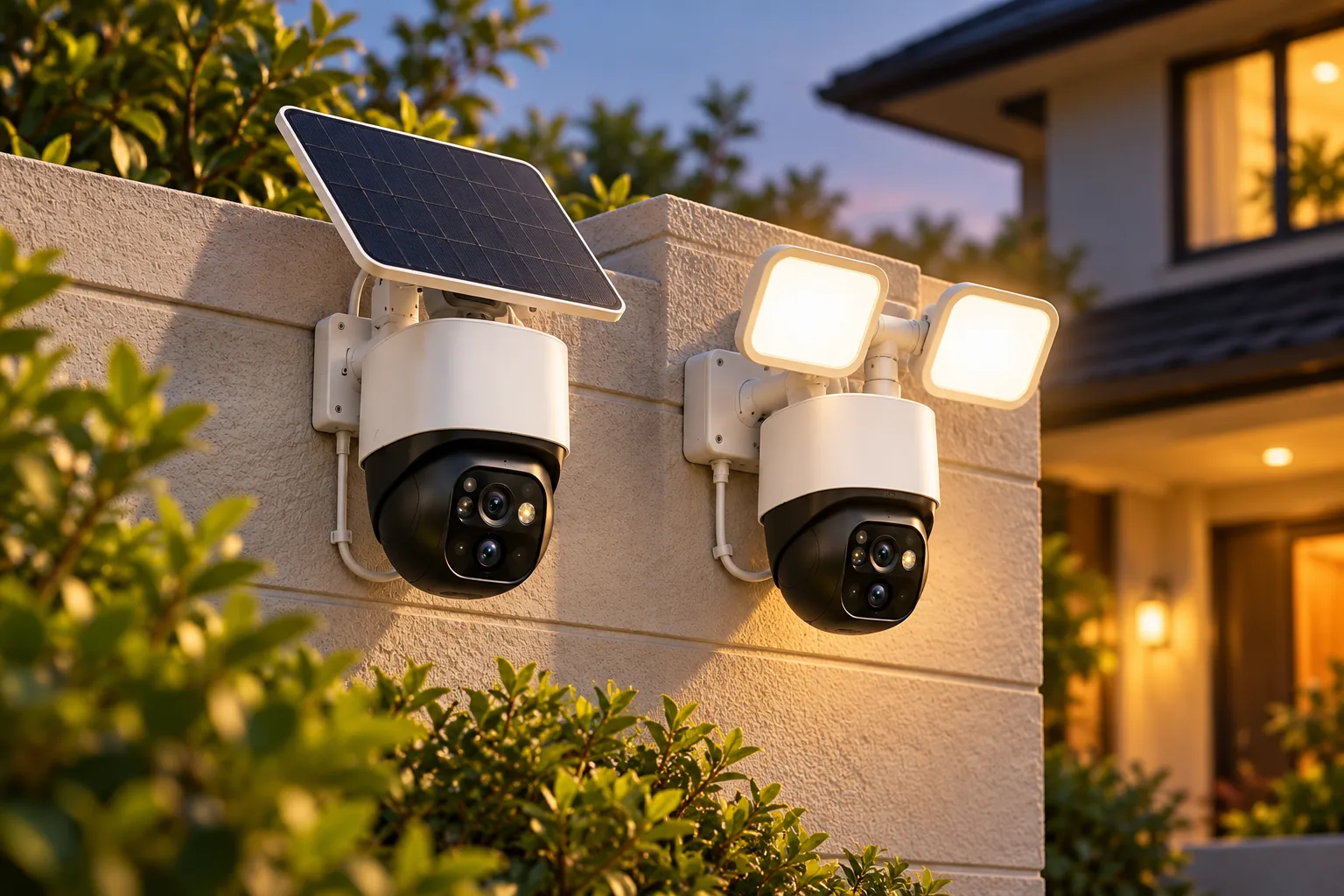
The S340 product page describes direct Wi-Fi operation with 8GB of on-device storage and onboard AI; a hub is not required for that arrangement. It also supports HomeBase S380 for enhanced features and expanded local storage, with HomeBase 3 expansion advertised up to 16TB. The expansion hardware and exact setup requirements need to be checked separately from the camera's built-in capacity.
S340 has a 3K wide-angle lens with a stated 135° field of view and a 2K telephoto lens. Eufy advertises 8× hybrid zoom. Hybrid zoom combines techniques and should not be treated as an 8× optical-zoom specification. Its 360° pan and 70° tilt describe where it can point, not simultaneous recording of every direction around the house.
A hypothetical side-yard installation illustrates the tradeoff. You might set the default view toward the gate and use pan and tilt to inspect the patio. That is useful adjustable coverage, but the camera's ability to turn toward the patio does not establish that the gate remains visible at that moment. Outdoor camera placement should define the default approach before you use the wider movement range.
The page advertises up to four preset viewing zones and two activity zones. A preset position helps return the view to an area of interest; an activity zone helps focus detection within a selected part of the image. Neither should be counted as an extra physical camera recording another direction at the same time. Source: S340 app controls.
Choose S340 for the documented job
S340 is worth considering when running mains power to the useful viewpoint is impractical, direct Wi-Fi is available and onboard storage meets the initial requirement. Its optional hub route gives you another storage decision, but you can assess the standalone installation first.
Do not buy it on the assumption that solar power and a large HomeBase drive automatically provide continuous footage. Continuous recording is not established for S340 by the manufacturer material used here. If a complete timeline is essential, require explicit support for that function and compare the E340 arrangement below.
Search Amazon for eufy SoloCam S340 to compare package contents. Confirm the model number, panel and any hub accessories in the selected package; a search does not verify stock or suitability.
E340: continuous recording with mains power
Eufy's E340 specifications explicitly list 24/7 recording when a microSD card or HomeBase 3 is used. The camera accepts a separately purchased Class 10 microSD card up to 128GB and supports both 2.4GHz and 5GHz Wi-Fi. Its integrated light is rated at 2,000 lumens and the documented housing protection is IP65.
This makes it a relevant option for a driveway or other location where a floodlight and an ongoing recording timeline fit the job. Confirm the chosen recording destination and settings; installing the fixture alone does not complete the recording plan. Security camera recording options should be settled before you compare how much storage to buy.
USB-C is for setup, not the finished floodlight installation
The E340 user guide calls for 100–240VAC, 50/60Hz mains power for installation. The USB-C 5V/1A connection is for safely setting up the camera indoors; the floodlights operate only in wired power mode. Do not interpret the USB port as permission to install E340 as an ordinary USB-powered outdoor fixture.
The guide says to check that video streams before installation, disconnect the setup adapter and close the USB port cover to prevent water entry. For the mains work, it calls for switching power off at the breaker, verifying that the installation area is de-energized and keeping the breaker off throughout installation. It says not to use a dimmer switch or timer.
Use the exact manual and a qualified electrician when the wiring or installation is uncertain. This buying guide is not a substitute for the model's wiring procedure. The guide recommends mounting about 8 feet, or 2.44 meters, above ground; choose a suitable location within the installation requirements rather than treating that height as a guarantee of identification at every distance.
Search Amazon for eufy Floodlight Cam E340 after checking whether your property can support the installation. Include recording storage and any necessary installation work in the comparison.
Local storage does not describe every data flow
S340's built-in storage is one part of its arrangement. The product page says selected cloud-based functions, including Cloud Backup or notification thumbnails, send videos or thumbnail images to the cloud as needed. It specifically says thumbnail previews require temporary cloud storage. A local recording destination therefore does not mean every enabled function stays entirely on the device. Source: S340 footnotes.
Decide those settings intentionally:
- Where should the primary recording be saved: camera, card or compatible HomeBase?
- Do you want off-site backup, and what service terms apply?
- Do you want notification thumbnails, accepting the documented cloud image handling?
- Which people have account or shared-device access?
- How will you export a clip you want to retain?
The same page's cross-camera tracking area has a footnote requiring HomeBase S380 and mentioning a free three-month trial followed by charges. Its scope is not clear enough to price every enhanced service here. Check the exact selected feature and current terms rather than labeling all enhanced functions permanently free.
Security cameras without subscription are a useful category only when you specify the functions you mean. Included local recording, optional cloud backup and an advanced paid feature can coexist in one product family. Compare the features you will actually enable, not a broad “no fees” impression.
Check the exact HomeBase before an upgrade
Eufy's HomeBase Professional S1 compatibility page lists S340 T8170 and E340 T8425 as supported app-feature devices. That establishes a listing for those product numbers; it does not prove the same storage behavior or feature parity as HomeBase S380.
The guidance explains how to find a product number on the device or in Device Settings → General → About Device, using the first five serial-number characters. Record that number alongside the exact HomeBase name before asking about an upgrade. “Works with Eufy” is too broad to settle a purchase.
Use this compatibility worksheet:
| Item to record | Why it matters |
|---|---|
| Full camera name and product number | Distinguishes S340 from E340 and other similarly named devices |
| Exact HomeBase model | S380 and Professional S1 are different products |
| Required feature | Pairing support does not establish every advanced function |
| Intended recording mode and destination | Confirms the timeline and storage path you need |
| Storage expansion hardware | Maximum advertised capacity is not necessarily included capacity |
| Confirmation source and date | Keeps your decision tied to the actual supported combination |
If an upgrade is justified mainly by one advanced feature, get confirmation for that feature before buying the hub. Avoid extending a compatibility statement for one camera or generation to the entire lineup.
Check solar charging at the useful viewpoint
S340's removable panel gives you some flexibility to position the charging surface separately from the viewing direction. Eufy's two-hours-of-sunshine claim is conditional on optimal sunlight and average use. Its page describes daily energy collection and consumption under those assumptions; that is not proof that every shaded location will remain charged. Source: S340 solar details.
Before relying on solar, inspect the proposed site through the day and consider seasonal shade from eaves and vegetation. Plan safe access if supplemental charging becomes necessary. Review charge trends after setup and during changing weather instead of treating a full battery on the first day as proof of year-round operation.
Solar panels for security cameras also have model-specific connection and placement requirements. Use the documented S340 arrangement, and do not infer cold-weather charging limits from a general operating-temperature statement. If winter charging determines whether the site is practical, obtain the exact applicable guidance.
Questions before choosing
Do I need a HomeBase for S340?
No hub is required for its documented direct-Wi-Fi operation, 8GB on-device storage and onboard AI. HomeBase S380 is an optional route to enhanced features and storage. Confirm any specific feature or expansion hardware before treating the hub as necessary or included.
Which of these cameras supports continuous recording?
E340 explicitly supports 24/7 recording with microSD or HomeBase 3. Do not assume S340 provides that timeline. Both the camera's recording capability and the chosen power/storage arrangement must fit the job; Wi-Fi connectivity alone settles neither requirement.
What should I buy first?
Write down whether the important view needs event coverage or a complete timeline, then check power at that position. Compare S340 for its documented solar standalone arrangement and E340 for its wired floodlight/continuous option. Verify model numbers and recording storage before adding accessories.
Eufy outdoor security cameras offer different power and storage arrangements under similar names. A useful next step is to complete the compatibility worksheet for your chosen location, then confirm saved playback after setup. That makes the decision concrete without assuming every Eufy camera, HomeBase and service behaves alike.